What is a universal POS integration
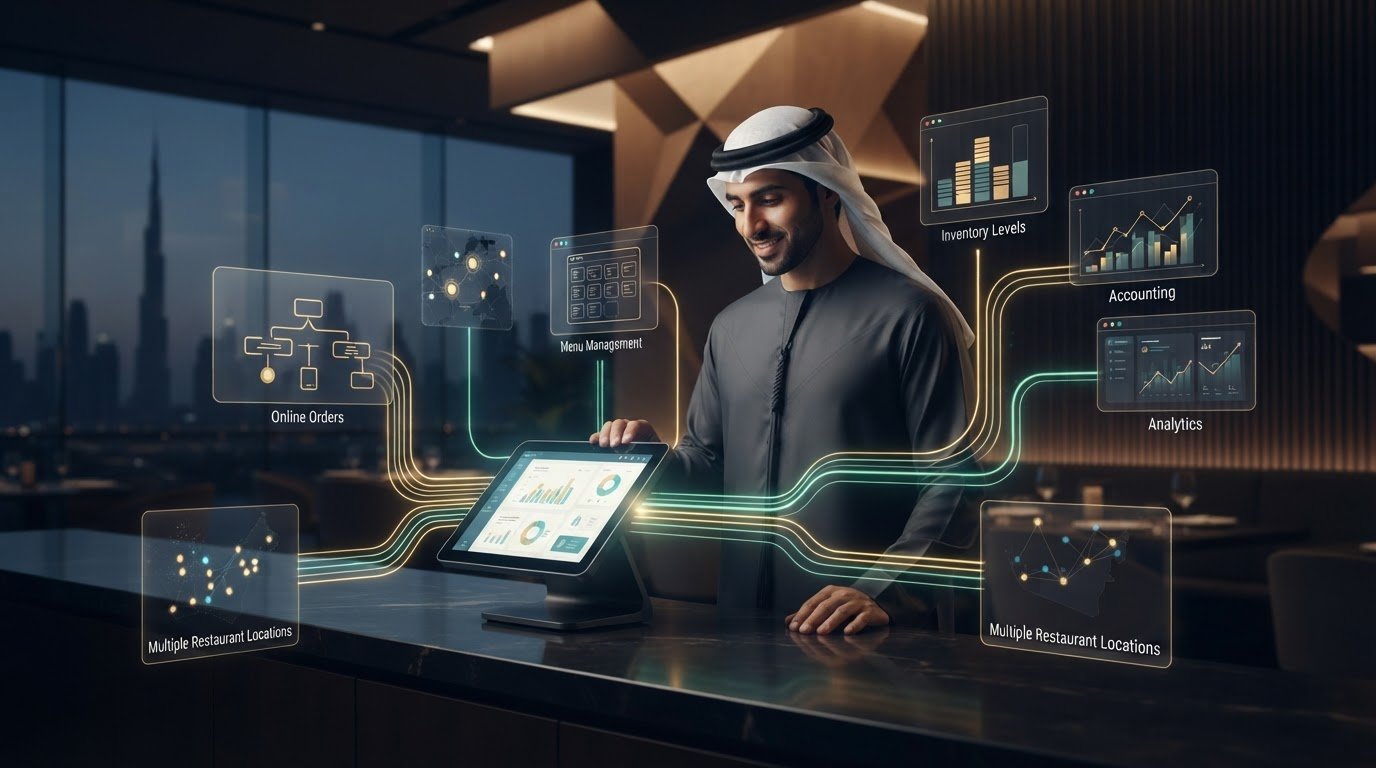
A restaurant POS shouldn’t operate in isolation. What is a universal POS integration? It’s a software bridge that connects a POS system with other restaurant platforms, allowing selected information, such as orders and menu data, to flow between them. It coordinates separate systems without replacing the POS itself.
If you run a restaurant in the UAE, manual updates can interrupt service: a menu change may need repeating across platforms, and order information can become scattered. The question “What is a universal POS integration?” has a practical answer: it links existing tools so selected information can move between them. The goal is to reduce fragmentation while keeping your current setup at the centre.
This article explains how universal POS integration works, which restaurant processes it can connect, and what to consider when choosing an approach. You’ll also see how connected systems can support smoother order handling, consistent data, and clearer oversight across sales channels.
Key Takeaways
- Understand how a shared API can connect your restaurant POS with other platforms, and why the data and actions available depend on each system’s capabilities and permissions.
- Use connected sales, menu, and inventory information to support decisions about stock, food costs, staffing, and menu performance.
- Map data and workflows by location and sales channel to keep orders and reporting organized across your UAE restaurant operation.
- Identify where integration can reduce repeated entry between POS, accounting, inventory, and other systems.
- Plan for setup and staff training by defining the workflows to connect and preparing employees to use them consistently.
Unified APIs for connecting POS software to eCommerce platforms
POS integration links restaurant point-of-sale software with other business tools. A shared connection lets compatible systems exchange selected information without staff copying every detail by hand.
POS Integration Through APIs
An API is a set of agreed instructions that lets two software systems exchange information. Think of it as a service counter: one system requests specific information, and the other returns what it allows. For a UAE restaurant, an API can connect a POS with an online ordering platform, reducing duplicate handling of routine records.
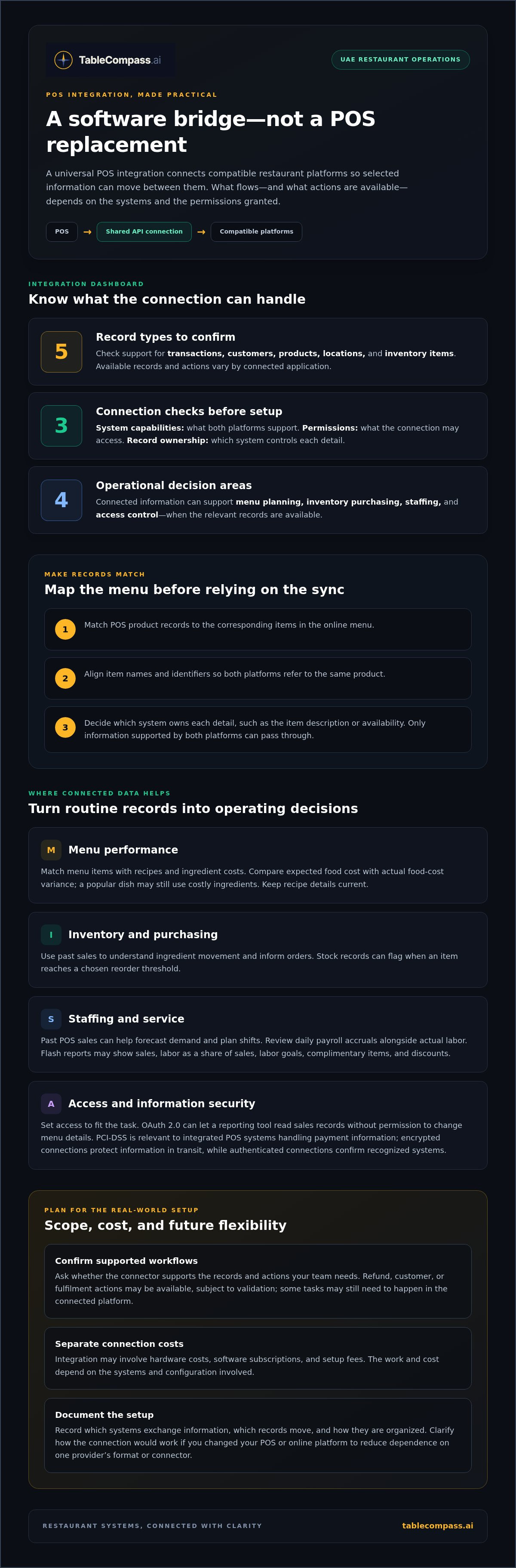
The information that passes through depends on the systems involved. A connection may handle sales, customer records, products, restaurant locations, or stock items. The POS and connected platform determine which records and actions are available, along with the permissions granted. Before planning a connection, list the information your team needs and decide which system should control each record.
Unified API Connections
A unified API provides a shared connection method for linking a POS with other software, rather than requiring a separate bridge for every pairing. It can translate between the ways different systems label or organize information. This can simplify data exchange for restaurants using several platforms.
For example, a restaurant can map POS product records to matching items in its online menu. Align names and identifiers, then define which system owns each detail, such as the item description or availability. The connection can only pass information supported by both platforms, so careful mapping helps prevent mismatched records and unclear ownership.
Connectivity Costs and Vendor Lock-In
Integration may involve hardware costs, software subscriptions, and setup fees. The work and cost depend on the systems being connected and the configuration required. Separating these categories helps a restaurant understand what supports the POS itself and what supports the connection between software.
Vendor lock-in means switching becomes difficult because a business depends on one provider’s connection or data format. To reduce that risk, document which systems exchange information, which records move, and how they are organized. Clarify how the connection would work if the restaurant changed its POS or online platform. This creates a useful reference for future decisions without assuming every system is compatible with every other one.
Check connector scope at the level of individual records and actions. POS connectors can handle transaction, customer, product, location, and inventory-item data, with available objects and methods depending on the connected application and permissions. Confirming supported data types establishes what the connection can handle in daily operations.
When selecting a POS integration provider, check its ability to work with your POS system. POS connectivity may expose selected refund, customer, or fulfilment workflows as service actions, subject to validation. Checking which actions are supported clarifies how the connection can be used and what still needs to be handled within the connected platforms.
Business benefits: analytics, inventory, security, and resource allocation
Connected POS information can help UAE restaurant teams make clearer day-to-day decisions. Sales, stock, recipe costs, and staffing records can inform choices from ordering ingredients to planning shifts. The value comes from turning routine activity into useful information, not simply gathering more figures. Start with a business question, then decide which records can help answer it.
For menu planning, match POS menu items with their recipes and ingredient costs. This can help compare expected food cost with actual food-cost variance. A dish with strong sales may still use costly ingredients, so managers should consider both popularity and profitability when reviewing menu choices. Keep recipe details current to ensure the comparison reflects what the kitchen prepares.
Inventory information can support purchasing decisions. Use past sales to understand how quickly ingredients move, then plan orders around that history. Stock records can also prompt a reorder when an item reaches a chosen threshold. For example, before ordering from a supplier, a manager can check whether the ingredients for a popular dish need replenishing.
Sales patterns can inform staffing decisions, too. Past POS sales can help managers forecast demand and schedule employees around expected busy periods. Daily payroll accruals show how scheduled labor compares with actual labor. A flash report may display sales, labor as a share of sales, labor goals, complimentary items, and discounts. Read these measures together to understand how service activity and staffing relate.
Security is about controlling which connected systems can access information. OAuth 2.0 is a way for software to request approved access without passing an account password between systems. For example, a restaurant can allow a reporting tool to read sales records without giving it permission to change menu details. Set each connection’s access according to the task it needs to perform.
PCI-DSS is a security standard relevant to integrated POS systems that handle payment information. Use infrastructure that follows this standard for payment and data connections. Encrypted connections scramble information in transit, while authenticated connections confirm that communicating systems are recognized. Together, these measures help protect information moving between restaurant tools.
To make the benefits practical, choose one goal, such as improving ingredient purchasing or matching staffing to demand. Then identify the records needed and who should review them. Restaurant management software can support restaurants looking to coordinate operational information. A focused starting point helps teams turn connected data into a decision they can act on.
Integration across platforms, locations, and sales channels
UAE restaurants can connect dine-in, online, and mobile orders through shared workflows. The practical design depends on each platform’s capabilities and each branch’s operating needs.
Online Ordering and Delivery Connections
An online ordering connection passes order information between an ecommerce platform, the POS, and delivery apps. This helps staff coordinate orders from different channels rather than treating each as a separate process. Some restaurants connect the POS directly to delivery apps; others use middleware to bring orders and inventory together. Map where each order begins, where staff need to see it, and how its status should be recorded.
Supported POS Systems and Payment Providers
A POS system or payment provider can take part when its software supports a connection for the required information and actions. No universal list guarantees that every system works with every integration. Compatibility depends on what each platform allows the connection to access. Start by noting your POS and payment setup, then identify which transaction details need to pass between them.
Which POS systems and payment providers support universal integrations? Compatible systems have a supported connection that can share the information and actions required for your workflow. Match your POS and payment setup to your needs rather than assuming every brand connects to every other system.
Branch-level mapping directs information to the correct restaurant location. For example, an order placed for a Dubai branch should reach that branch’s workflow, not another location’s. Assign each branch its own menu, stock, and reporting destination where needed. Clear location labels help managers compare results without mixing records from separate restaurants.
Sales channels need clear labels, too. A dashboard can bring together in-store, online, and mobile sales, but staff should know where each order started. For example, label a table order separately from an online checkout. Consistent labels help managers interpret channel performance and avoid counting duplicate records as separate revenue.
Some platforms send automatic alerts when events occur, such as an order changing status. This is often called a webhook: think of it as a kitchen bell that signals an update instead of requiring staff to refresh a screen. Each platform determines which alerts it can send. Define what staff should do if an expected alert doesn’t arrive, so there’s a clear fallback.
Test a sample order from checkout through POS receipt, kitchen handling, and payment status. Confirm that its branch and sales channel remain clear throughout. This walkthrough can reveal a misplaced order or missing update before the workflow becomes part of everyday service.
Operational efficiency from integrated POS systems
A restaurant POS system is more useful when its records reach the other tools staff rely on. In UAE restaurants, connected workflows can link orders, inventory, kitchen status, and accounting records.
Offline Operation and Data Synchronisation
Some POS systems cache transactions during an internet outage and synchronize them when connectivity returns. This can help staff continue recording sales, but live analytics and multi-site synchronization typically require an internet connection. The distinction matters: offline order capture and live reporting are different capabilities.
Plan for both conditions. Identify which actions must continue during a connection interruption, such as recording an order or payment, and which reports can wait until service resumes. After reconnection, review queued transactions against the POS record to spot duplicates or missing updates. This helps keep sales reporting and stock records aligned.
Connected workflows can also reduce repeated entry. In an integrated restaurant process, payment confirmation, inventory deduction, and an accounting entry can occur within seconds after an order. This gives teams a clearer operational trail than manually copying each sale between systems. Managers can compare the POS transaction with the resulting stock and finance records.
POS Data Entities and Operations
POS data entities are the records a connector can read or update, including transactions, customers, products, locations, and inventory items. Available records and actions depend on the connected application and its permissions. Define the exact information each workflow needs rather than assuming every connection exposes every field.
Operational actions can include sending a restaurant order to the kitchen or bar, then updating its status as staff process it. A POS connection can also synchronize completed sales and payment details with downstream systems. For accounting, a workflow can group completed transactions by tax and tender before creating finance records, or record revenue, tenders, and discounts for each sales ticket.
Employee records can form another useful data path. POS integrations can transfer employee time entries between systems and accrue labor expenses in the general ledger. Managers can compare those entries with sales and daily labor accruals to understand staffing costs. Keep employee, location, and transaction mappings consistent so reports reflect the correct shift and restaurant.
These workflows apply beyond restaurants, including retail operations that connect sales with inventory and accounting. For restaurant teams, start with one process, such as order status or daily sales posting. Define its source record, destination, and review point. A unified flow supports clearer reporting without forcing staff to reconcile disconnected screens throughout service.
Implementation disadvantages and employee training
POS integration changes how orders, menu updates, and staff tasks move through a restaurant. In the UAE, plan for setup and employee training alongside the technical connection. A workflow that saves manual entry still needs accurate data, clear ownership, and staff who know what to do when an order or update doesn’t appear as expected.
Setup time depends on the workflow. A standard restaurant delivery or payment POS integration typically takes 2-4 weeks to set up. A custom enterprise restaurant POS integration typically takes 2-3 months. The wider timeline reflects the work involved in connecting systems and configuring more tailored processes. Use the relevant timeline to plan testing, staff briefings, and any changes to service procedures.
Complexity is one drawback. A menu item may have different names or identifiers in the POS and ordering channel, so the integration needs a reliable match. If the mapping is wrong, an unavailable dish could remain visible online or an order could reach the wrong workflow. List menu items, modifiers, and locations, then resolve duplicate or outdated records before launch.
Data ownership needs attention, too. Decide which system controls menu details, customer records, loyalty information, and order status. For example, if the POS controls menu availability, staff should update it there rather than making conflicting edits across channels. This reduces duplicate work and gives the team a clear way to correct mistakes.
Training should reflect actual restaurant tasks. Show front-of-house employees how to identify online orders, check payment status, and handle an order that needs correction. Train kitchen staff to read incoming tickets and update order status in the agreed system. Managers should practise reviewing revenue and sales records after a shift. Use sample orders before launch so employees can learn without disrupting live service.
Testing exposes gaps before customers encounter them. Run a sample order from each active channel, then compare its details across the POS, kitchen workflow, and reporting view. Check item choices, modifiers, location, payment status, and cancellation handling. Assign a staff member to record mismatches and direct each correction to the system that owns the relevant data.
After launch, review exceptions and staff feedback during regular operations. Track recurring issues, such as missed menu updates or duplicate order records, and document the correct response for each. A short operating guide helps new employees follow the same process. For restaurants connecting POS and food-aggregator workflows, explore POS integration options as a way to streamline channel operations.
Without POS-to-ERP integration, employees may need to enter purchase data again in the ERP system for accounting. Include this repeated entry when assigning responsibilities and training employees, so the manual step isn’t overlooked during implementation. Clarify where purchase data should be entered and who is responsible for the task.
Integrated historical POS data can inform sales forecasts used to create employee schedules and manage labor spending. Train managers responsible for scheduling on how POS history supports forecasts and labor decisions. Reliable records make this planning input more useful and give managers a clearer basis for scheduling in line with expected sales.
TableCompass.ai: OmniSync
TableCompass.ai’s OmniSync connects restaurant POS systems with food aggregators through middleware. For UAE restaurants managing orders across multiple channels, it brings those connections into a coordinated workflow instead of leaving teams to transfer information manually.
Turn to OmniSync when your restaurant needs POS and food-aggregator data to work together. If menu updates are also a challenge, Atlas centralizes menu control. Start by identifying the platforms involved and the information your team needs to move between them, such as orders or menu details.
Visit tablecompass.ai to discuss how OmniSync can support your restaurant’s integration needs.
Make Your Next Integration Decision Count
Understanding what a universal POS integration can do is only the starting point. Next, choose a workflow that supports your restaurant’s priorities and define how your team will manage it as menus, channels, and customer expectations change. Start with a clear operational goal, then build from there.
TableCompass.ai offers OmniSync for POS and food-aggregator connections, Atlas for centralized menu control, and GuestConnect AI for customer engagement. These offerings support different parts of a restaurant’s digital operation, depending on the workflow you want to improve.
Bring your current systems and operational priorities into the conversation. Contact TableCompass.ai to discuss POS integration and explore a practical next step for your restaurant in the UAE.
With a defined goal and connected workflows, your team can move forward with greater clarity and confidence.
Frequently Asked Questions
What is POS integration?
POS integration connects a restaurant’s point-of-sale system with other software so selected information can move between them. If you’re asking “what is a universal POS integration?”, it’s a way to link compatible systems through a shared connection. In practice, a UAE café might send sales records to its accounting platform and review daily revenue without re-entering each transaction. To assess a setup, identify the record, its destination, and the system that should remain its source of truth.