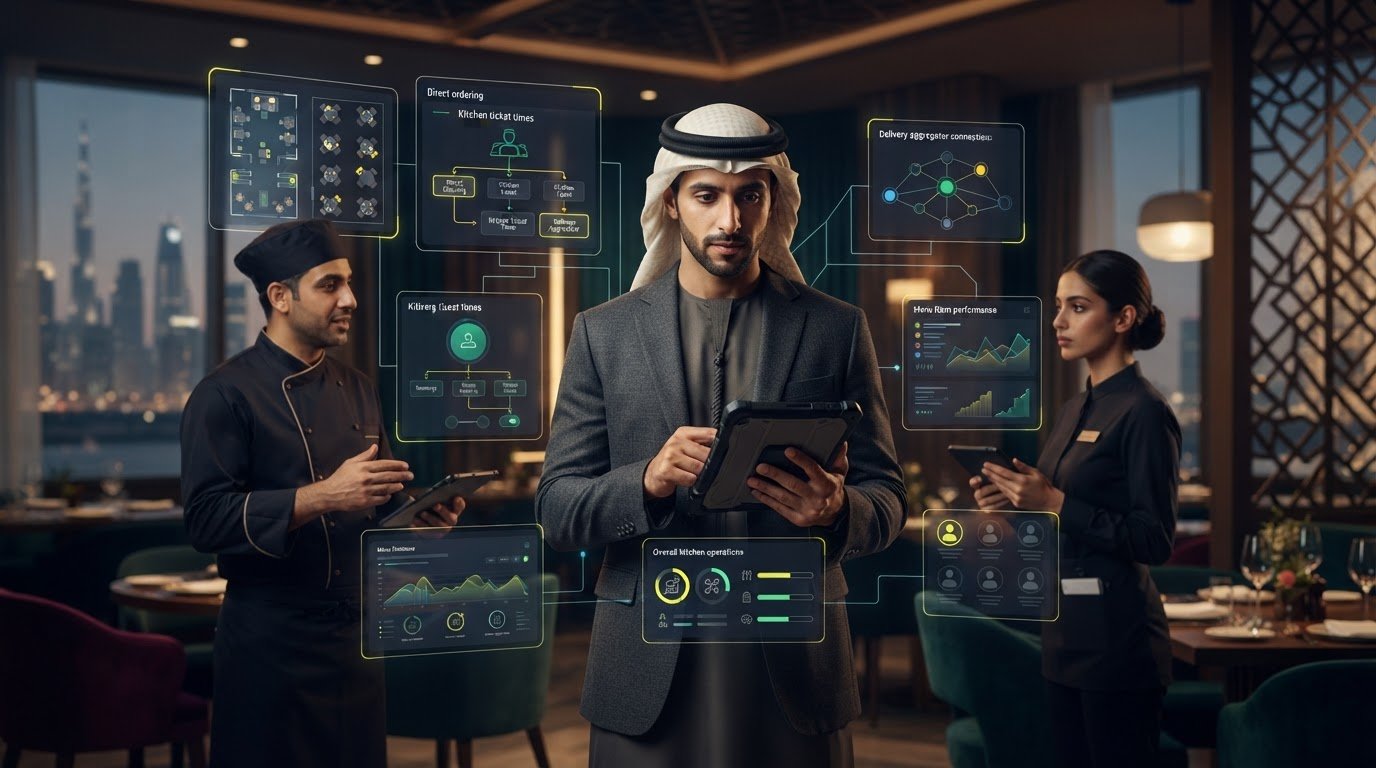
Unified Restaurant Commerce Platform: A Practical UAE Guide
What if the biggest drag on service isn’t the number of digital channels, but the gaps between them? For UAE restaurants, orders, menu updates and guest information can move through separate tools, leaving staff to coordinate details by hand. A unified restaurant commerce platform connects guest-facing channels with the workflows behind the counter, giving teams a clearer way to manage operations.
Adding another system can sound like more complexity. A useful platform should bring existing processes together, not create another layer to maintain. Start by identifying what needs to connect, where information should flow and which manual steps take the most staff time.
This guide explains how ordering, menus, guest engagement and restaurant operations fit into connected commerce workflows. You’ll learn how to assess a platform against your current systems and needs, and how to plan a practical first step. We’ll also look at how OmniSync connects restaurant POS systems with food aggregators, while Atlas Menu Management centralizes menu control across digital channels.
Key Takeaways
- Map how dine-in, direct and aggregator orders move through your UAE restaurant before deciding what needs to connect.
- A unified restaurant commerce platform links guest ordering with operational workflows. Define what information needs to pass between each system.
- Compare order handoffs, menu control, guest touchpoints and team responsibilities to find where separate tools add coordination work.
- Prioritize the connections that address your team’s most pressing workflow gaps, then plan adoption and review the results.
- OmniSync connects restaurant POS systems with food delivery aggregators. Menu management and guest-facing tools can complement those connected operations.
What a Unified Restaurant Commerce Platform Means for UAE Operators
A unified restaurant commerce platform is connected software that coordinates guest ordering, menu information, order processing and the operational handoffs that keep service moving. It lets distinct systems exchange relevant information, rather than relying on staff to bridge every gap themselves.
A unified restaurant commerce platform connects the guest’s order to the restaurant’s tools and teams, from the moment it’s placed through preparation and service. It can work around existing systems. It does not automatically mean replacing the restaurant’s POS or every other tool.
Which parts of restaurant commerce need to connect?
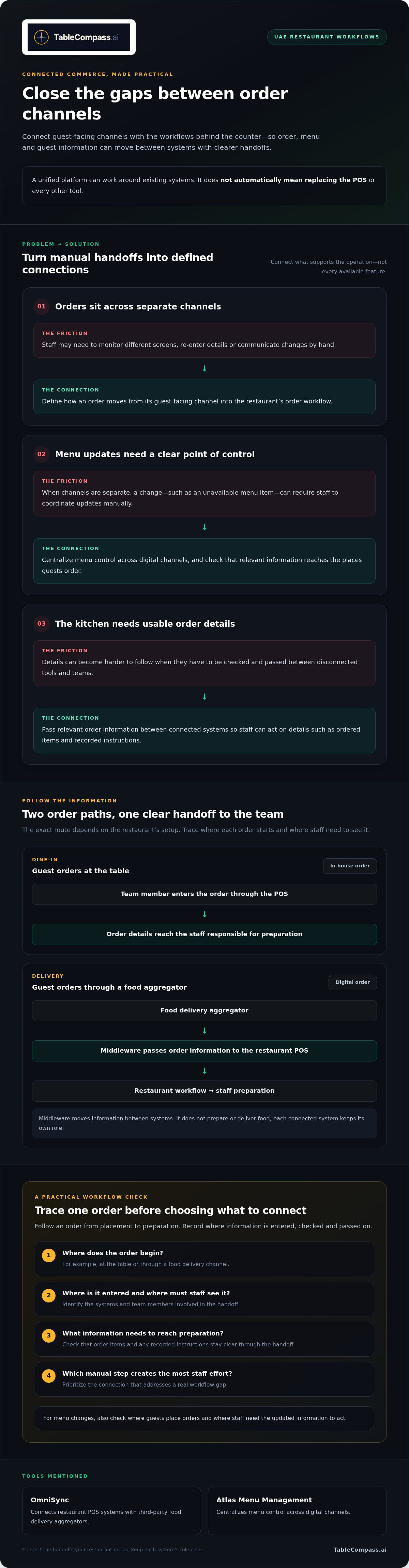
Consider a UAE restaurant serving guests in-house while accepting orders through a food delivery channel. One diner orders at the table, while another places a delivery order online. The journeys start in different places, but both need clear menu information, accurate order details and a route to the staff responsible for preparation.
For an in-house order, a team member enters it through the POS, a system for recording sales and related transactions. Wikipedia’s overview of Point of Sale (POS) systems explains their wider role. A delivery order starts on a guest-facing channel and needs to reach the restaurant’s order workflow. The kitchen then needs usable details, such as the items ordered and any recorded instructions. The exact path depends on the setup, but every handoff needs to keep information clear.
When channels sit on separate screens, staff may need to monitor each one, re-enter details or communicate changes manually. That adds friction when a menu item becomes unavailable or the team is coordinating dine-in and delivery preparation. Trace one order from placement to preparation. Note where details are entered, checked and passed on. This quickly shows which connections could address a real workflow gap.
A platform, an app, or a collection of separate tools?
A single-purpose ordering app handles a particular guest interaction. A marketing application supports campaigns or customer communication. A connected commerce layer has a broader role: it links relevant channels and systems so order and menu information can move through defined workflows. For example, OmniSync connects restaurant POS systems with third-party food delivery aggregators.
“Platform” shouldn’t mean adding every available feature. Breadth matters only when it supports the restaurant’s operation. A venue focused on table service may prioritize dine-in ordering and menu control. One handling both in-house and delivery orders may need those paths coordinated with its POS workflow. Start with the handoffs that create the most staff effort, then decide what needs to connect. A clear restaurant aggregator integration strategy helps frame that decision without turning it into a system replacement project.
For UAE operators, the practical test is whether the tools support the guest journey and give staff a coherent way to receive and handle the resulting work. Pick one order path, trace its information from placement to preparation, and identify where a connection could make the next step clearer.
How the Unified Commerce Architecture Connects Orders, Menus, and Teams
A unified restaurant commerce platform works as a network of systems with defined roles. Guest-facing channels capture orders; food aggregators receive delivery orders; the POS supports sales and order handling; menu management organizes digital menu information; and middleware helps relevant information pass between connected systems. The architecture is useful when every handoff has a clear purpose, not simply because more tools are connected.
In practice, synchronization means an order or relevant update moves between connected systems so staff don’t have to carry the information across manually. The exact workflow depends on the systems involved. A menu change, for example, is useful across channels only when the relevant information reaches the places where guests order and staff can act on it.
How POS middleware connects restaurant systems
For a UAE restaurant taking orders through food aggregators, middleware can connect the aggregator with the restaurant’s POS. It passes order information between the systems, helping bring digital orders into the restaurant’s operating workflow. Middleware doesn’t prepare or deliver food. It supports the movement of information between restaurant systems.
Middleware is the bridge that carries relevant order information between connected restaurant systems, while each system continues to perform its own role. TableCompass.ai’s OmniSync synchronizes restaurant POS systems with third-party food delivery aggregators. It gives operators a connection layer for coordinating aggregator orders with POS workflows. When reviewing POS middleware for UAE hospitality, focus on what information needs to move and which team members rely on it.
Before assessing a connection, write down the order path: where the order begins, where staff need to see it and what information must reach the kitchen. This makes the workflow easier to evaluate and shows whether the connection addresses a real handoff.
Where menu management and guest tools fit
Order connections are only one part of the architecture. Menu information also needs a clear point of control. Atlas Menu Management centralizes menu control across digital channels, so operators can manage menu information consistently rather than treating each channel as a separate task. To assess your process, list the channels that display the menu and assign responsibility for making updates.
Guest-facing capabilities serve different purposes from POS and middleware. QR Table Ordering & Pay supports ordering and payment at the table. GuestConnect AI and Satellite AI add automated customer interactions and guest communication capabilities to TableCompass.ai’s restaurant offering. Assess each against the guest or operational workflow you want to support, rather than assuming they perform the same job as order synchronization.
Keep the architecture easy to follow. Identify the source of each order, the system that receives it, the menu information involved and the team responsible for the next action. That map gives operators a concrete basis for evaluating connected workflows without assuming every restaurant needs the same setup.
How to Compare a Unified Restaurant Platform With Separate Tools
Start a comparison with the work your restaurant needs to coordinate, not the length of a product feature list. A unified restaurant commerce platform may connect several touchpoints, while separate tools may each handle one task. Either approach can fit, but disconnected handoffs may leave staff moving information between screens. Compare how each setup supports the workflows your team actually uses.
Which capabilities belong in the evaluation?
List the channels your restaurant uses, then trace an order from the guest to the team handling it. Assess POS and aggregator connections against those order paths. Treat menu updates, QR ordering and a branded direct-order experience as separate needs, not automatic features of one another. Include access, reporting and workflow visibility only when they help your team manage its operation.
Use the table below to compare your current setup with what you need from a connected one.
| Evaluation area | Connected platform | Separate tools |
|---|---|---|
| Order workflows | Consider whether relevant order information moves between connected channels and restaurant systems. | Identify where staff monitor, transfer or re-enter order details between tools. |
| Menu control | Assess whether menu information can be managed centrally across the digital channels you use. | Note which tools need individual updates and who owns each change. |
| Guest touchpoints | Map how dine-in, aggregator and direct-order journeys relate to the restaurant’s workflows. | Check whether each guest channel operates independently of the others. |
| Operational ownership | Clarify which team manages shared processes and has visibility into relevant handoffs. | Record who is responsible for each tool, update and manual handover. |
Use the comparison to identify where you can improve continuity, visibility or management effort. A platform’s broader scope isn’t automatically better. If a capability doesn’t address a real need, it may add complexity instead of clarity. TableCompass.ai’s Atlas Menu Management centralizes menu control across digital channels, making it relevant when menu updates are a genuine coordination challenge.
What does an independent venue need versus a restaurant group?
For an independent venue, start with the operational bottleneck and the systems already in use. If the pressure point is digital orders reaching the POS workflow, assess that connection first. If menu changes across channels require repeated staff coordination, put menu control higher on the list. Keep the evaluation focused on the work that needs attention.
A UAE restaurant group may also need to consider how teams maintain consistent workflows across locations, who manages shared menu information and where local operating needs differ. Centralization can support oversight, but priorities depend on how the group divides responsibilities. For a menu-focused assessment, consider what centralized menu management for UAE restaurants needs to support across your locations.
After comparing workflows, rank the gaps by practical importance and identify which connection or capability addresses each one. To explore how restaurant-focused middleware and connected commerce capabilities fit into that assessment, TableCompass.ai’s restaurant commerce solutions are a relevant starting point.
A Practical Evaluation and Rollout Plan for UAE Restaurants
Good rollout planning starts with the restaurant’s real order paths, not a software demonstration. A UAE venue may handle dine-in orders through its POS, direct orders through a branded channel and delivery orders through food aggregators. A group may also need to account for differences between branches. Map these flows first, then assess where a unified restaurant commerce platform could connect them.
Map the current workflow before choosing software
Record how information moves today. For each order source, note which system receives the order, who handles it next and whether anyone transfers details manually. Add menu changes and guest interactions that require staff to switch between tools. This gives you a grounded picture of the workflow before you assess technology.
Use this sequence to turn the map into an evaluation and rollout plan:
- Map order paths. Document dine-in, direct-order and aggregator journeys from guest placement to the team responsible for handling each order. Include the screens or tools involved and any manual handoffs.
- Identify systems and ownership. List the POS, ordering channels, menu tools and other systems in use. Note who manages each one, including responsibilities shared across branches or teams.
- Prioritize connections. Choose the workflow gap that matters most to the operation, such as duplicated order handling or repeated menu updates. Describe what information needs to move and where it needs to go.
- Plan adoption. Decide which roles need to use or oversee the changed workflow, then introduce it in a way that fits service operations. Keep compatibility, configuration and implementation details specific to the systems involved.
- Review outcomes. Choose measures that reflect your priorities, such as how often staff re-enter order details, how clearly teams can see incoming orders, or how menu changes are managed. Record a starting point and review the same measures after adoption, rather than relying on generic benchmarks.
When reviewing seamless restaurant POS synchronization, focus on the exact order information your team needs and the handoff where it currently gets delayed or re-entered. That keeps the evaluation practical, whether you operate an independent venue or coordinate shared workflows across a UAE restaurant group.
Plan adoption around staff and service flow
Include everyone who touches the process: front-of-house staff entering dine-in orders, team members monitoring digital channels, kitchen staff receiving order details and managers responsible for menu updates or oversight. Explain changes in terms of each role’s service tasks, not software terminology. A role-based walkthrough helps staff understand what changes during their shift and where to direct questions.
Start with the priority workflow, observe how it fits into service and gather staff feedback before expanding the rollout. To explore restaurant-focused tools for connecting commerce workflows, review TableCompass.ai’s restaurant solutions.
How TableCompass.ai Brings Restaurant Commerce Workflows Together
Choosing connected commerce capabilities is a workflow decision, not a checklist exercise. TableCompass.ai brings restaurant-focused middleware and guest-facing tools together for UAE operators. Start with the gap you’ve identified: an aggregator order that needs to reach the POS workflow, menu information that needs central management across digital channels, or another way for guests to order.
Each capability has a distinct role. You don’t need to adopt every tool at once to make progress. Begin with the handoff that creates the most coordination for your team, then consider adjacent needs as your workflows become clearer.
Start with the operational connection that matters most
If aggregator orders are the priority, OmniSync is TableCompass.ai’s primary service for synchronizing restaurant POS systems with third-party food delivery aggregators. It connects those systems while the POS and aggregator retain their own roles. Start by mapping the order information staff need to receive and where it needs to appear in the restaurant’s workflow.
For menu consistency, Atlas Menu Management centralizes menu control across digital channels. It’s relevant when teams manage menu information in several places. Guest-facing options address different needs: QR Table Ordering & Pay supports ordering and payment at the table, while White-Label Mobile Apps provide a branded mobile app option. Assess each separately against your current guest journey rather than treating them as automatic parts of one process.
- Order synchronization: Identify where aggregator orders need to connect with the restaurant’s POS workflow.
- Menu control: Consider whether a central way to manage digital menu information fits your channels and team responsibilities.
- Guest ordering: Decide whether table-based QR ordering or a branded mobile app addresses a real guest touchpoint.
Move from fragmented workflows toward connected operations
Your workflow map is the decision framework. It shows which tools are already in place, where staff pass information manually and which team owns each handoff. Use it to prioritize a capability, clarify the intended workflow and make compatibility discussions specific to the systems involved. This keeps the evaluation grounded in how the restaurant operates.
GuestConnect AI and Satellite AI are additional AI capabilities in TableCompass.ai’s restaurant offering. Consider them in relation to guest engagement needs, alongside the defined roles of menu management, table ordering and POS-to-aggregator synchronization. Tie each capability to the task you want to address rather than assuming they share a technical dependency or perform the same function.
A unified restaurant commerce platform should make your operation easier to understand, not harder to manage. Start with the workflow that matters most, then build outward only where it serves a clear purpose. Explore TableCompass.ai’s solutions for UAE restaurants to see how its restaurant-focused capabilities support connected commerce workflows.
Make Your Next Commerce Decision Deliberate
Your next step doesn’t need to be a broad technology project. Turn your workflow map into a focused decision brief: identify the handoff that needs attention, the staff who rely on it and the outcome you want to review. This gives your team a practical basis for deciding how a unified restaurant commerce platform could fit your operation, whether you run an independent venue or manage several UAE locations.
TableCompass.ai provides restaurant-focused middleware and commerce capabilities in the UAE, including OmniSync for connecting restaurant POS systems with third-party food delivery aggregators. Use that as a starting point to consider how the connection relates to your order flow and wider operational needs. You can prioritize one capability instead of adopting everything at once.
Explore TableCompass.ai’s restaurant commerce solutions and identify a sensible first step for your operation. A clear connection plan helps your team move forward with purpose and build workflows around the way your restaurant serves guests.
Frequently Asked Questions
Is a unified restaurant commerce platform the same as a POS system?
No. A POS system records and supports sales transactions, while a unified restaurant commerce platform can coordinate information across the POS and other commerce touchpoints. For example, a restaurant may use its POS for counter sales while managing digital orders and guest interactions through other channels. The platform’s role is to connect relevant workflows, not replace the POS’s core function.
Can a unified platform work with a restaurant’s existing POS?
A unified platform can connect an existing POS without automatically requiring its replacement. The key is whether the systems exchange the information the restaurant’s workflow needs. List the order details staff need to receive, then assess the connection against those systems. OmniSync connects restaurant POS systems with food delivery aggregators.
Does a unified restaurant platform replace food delivery aggregators?
No. Food delivery aggregators remain guest-facing channels where customers can discover or order from restaurants. A commerce platform or middleware serves a different role: it helps connect order information with the restaurant’s systems. A UAE operator can continue using aggregator channels while connecting incoming orders with its POS workflow. The platform supports restaurant operations; it doesn’t provide the aggregator’s marketplace or delivery service.
Is a unified commerce platform useful for a restaurant group?
It can help a group clarify shared workflows, but the right scope depends on how each location operates. A group might define common menu responsibilities while allowing branches to manage distinct service routines. Before evaluating a platform, identify which processes should be consistent and which need local ownership. That distinction helps avoid forcing every venue into a workflow that doesn’t fit its operation.
Can a unified platform support both dine-in and delivery ordering?
A connected setup can support both when the relevant channels and restaurant workflows are included. Guests might order at a table using QR Table Ordering & Pay, while delivery orders arrive through an aggregator and connect with restaurant systems. These are distinct paths, so map what staff need to receive for each one. The connections should reflect the systems and workflows in use.
How should a restaurant measure whether connected commerce software is working?
Choose measures tied to the problem you wanted to solve, then compare them with a baseline from your current operation. A team could track how often staff re-enter order details, how frequently menu changes need correction, or how easily managers can trace an order issue to its source. Review the same measures after adoption and gather staff feedback. Use what you learn to refine the workflow rather than assume a particular result.
What should UAE restaurants map before evaluating a commerce platform?
Document each order source, the system that receives it, the staff role responsible for the next step and any manual transfer or correction. Include in-house, direct and aggregator orders, plus how menu changes and guest questions are handled. For groups, note where branch processes differ from shared procedures. This map gives UAE operators a concrete view of their current setup and keeps platform discussions focused on real needs.