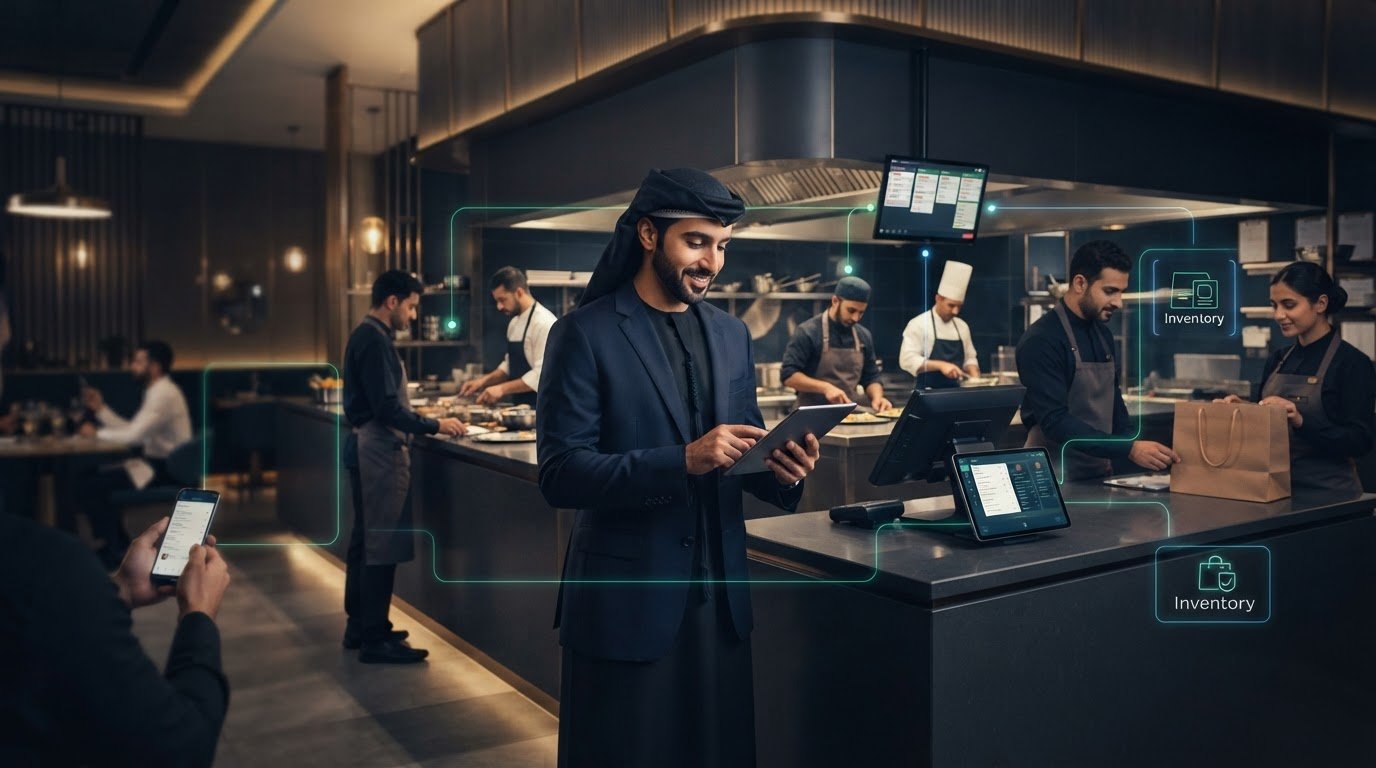
Restaurant AI Automation in the UAE: A Practical 2026 Guide
What if restaurant AI could reduce the work between your systems without replacing the tools your team already relies on? For UAE operators, daily friction often comes from copying orders, updating menus and passing guest requests between digital channels, POS systems and delivery platforms. Practical restaurant AI automation UAE starts by connecting these workflows, not by adding technology for its own sake.
If staff are switching between channels while managers struggle to see how each tool fits into service, the answer isn’t necessarily another standalone app. It may be a clearer operational connection. AI can support specific tasks, such as handling voice orders, while middleware links guest channels with restaurant systems.
This guide shows where automation can make a practical difference, how to identify repetitive workflows and what to consider before choosing a first step. You’ll see how POS systems such as Micros or Foodics can connect with menus, direct ordering and delivery channels such as Talabat, Deliveroo and Careem. The aim is a workable setup that fits your venue, supports your team and reduces manual information handling.
Key Takeaways
- Use this restaurant AI automation UAE guide to identify repeatable tasks that create friction across dine-in, delivery and digital guest service.
- Map each order’s path from guest request to POS and restaurant operations to see where information needs to move between workflow stages.
- Compare order intake, menu and stock synchronization, guest engagement and direct ordering by the friction each creates and the outcome you want to monitor.
- Start with a baseline: document current systems, choose one workflow, test it and review the results before expanding automation.
- See how OmniSync aggregates orders from Talabat, Deliveroo, Careem, Zomato and Noon as part of a connected setup for existing restaurant systems.
Why Restaurant AI Automation Matters for UAE Venues
A restaurant’s service now moves across more than the dining room. Teams may be welcoming guests, coordinating dine-in orders, handling delivery requests and responding to direct digital enquiries at the same time. Each channel can serve a different guest need, but every extra handoff can add work: checking an order, relaying a change or updating information in a separate system.
Restaurant AI automation uses technology to support repeatable digital tasks and connect the workflows around them, so staff spend less time transferring information and more time looking after guests. A standalone chatbot handles a conversation. Automation connects a defined task to the next step in restaurant operations. That distinction matters: a helpful exchange is only part of the process if staff still need to copy the request into another system.
The goal isn’t to remove the human element. It’s to give staff a clearer operational backbone, reducing routine digital work while leaving hospitality, judgement and personal attention in human hands. For restaurant AI automation UAE, the practical question is not whether AI can run an entire restaurant. It’s which recurring workflow deserves support and how that support fits the venue’s existing setup.
Where digital complexity shows up in UAE restaurants
Consider a busy UAE venue serving tables while receiving delivery orders through Talabat, Deliveroo and Careem, alongside direct orders through its own digital channels. Staff need to keep service moving and ensure order details reach the right place. A menu change or unavailable item may also need to be reflected across multiple channels. The pressure comes from coordinating these moving parts, not from any one channel alone.
Start by tracing a routine task, such as receiving an online order. Note where the request appears, who checks it, how it reaches the team preparing it and where staff update its status. Then mark every point where someone re-enters or relays information. This simple map can reveal repeated work without assuming that every channel needs AI.
What restaurant AI automation can, and cannot, mean
Useful automation has a defined boundary: a task begins with a clear trigger, follows an agreed process and reaches a useful next step. For example, an order can move from a connected digital channel into a POS workflow instead of requiring staff to transfer its details by hand. Set the scope around the task and the systems involved, not a broad promise to automate service as a whole.
AI does not remove the decisions that belong to people. Staff handle exceptions, understand context and bring warmth to guest interactions. Before automating a task, write down what the system should handle, what requires staff judgement and how the team will identify a request that needs personal attention. This keeps technology in its proper role: supporting service, not defining it.
How Restaurant AI Automation Connects Guest Requests to Operations
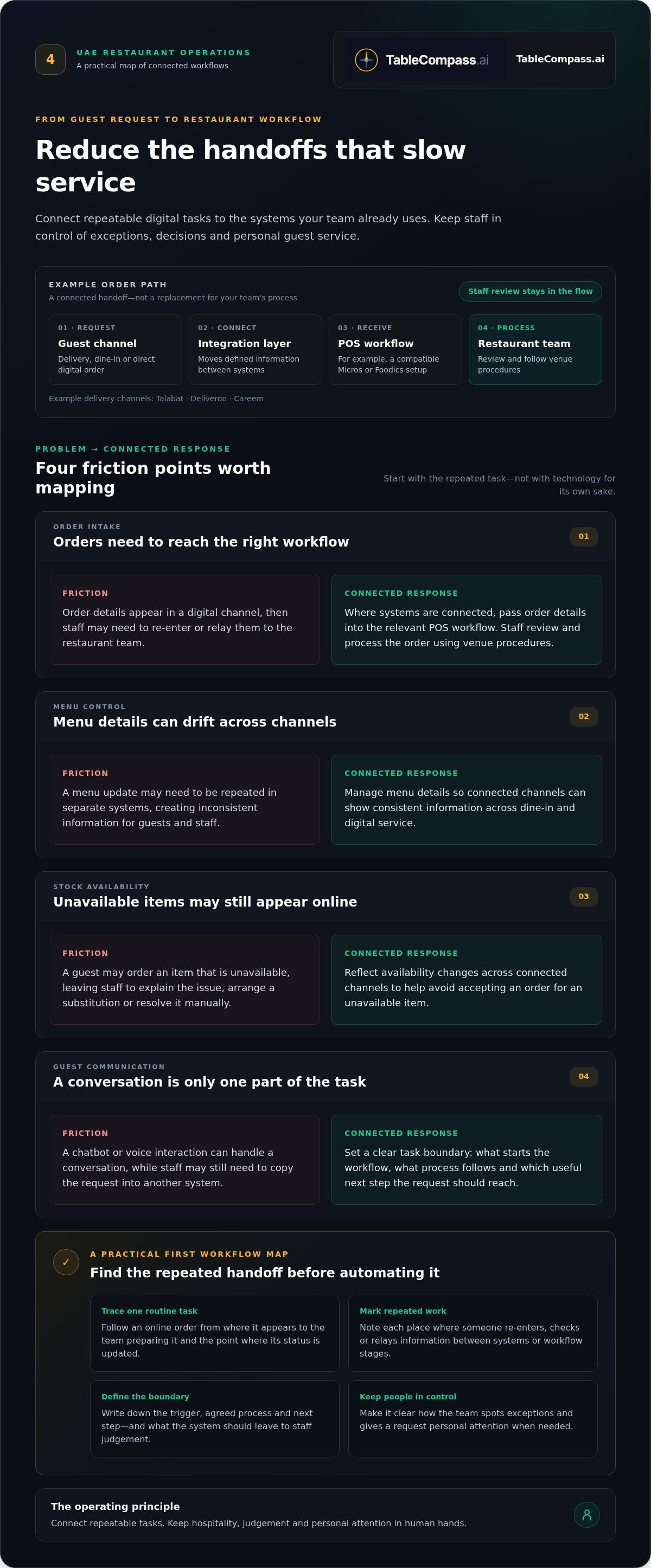
A guest request becomes operationally useful when the right information reaches the people and systems responsible for the next step. In a UAE restaurant, a digital order might begin on a delivery platform, pass through a connection layer into the existing POS, then appear in the restaurant’s order workflow. Connecting these steps helps reduce the need to enter the same details at each handoff.
Synchronized information helps restaurant channels work from a consistent operational picture. The aim isn’t to automate every decision. It’s to move accurate details between defined stages while staff remain able to review exceptions and manage service.
From a digital order to the restaurant workflow
Consider an order placed through a delivery aggregator. The guest channel captures the request, including the selected items and submitted details. An integration can pass that order into a compatible POS workflow, where staff review and process it using the restaurant’s procedures. The team can then follow its usual steps for preparation and service.
This flow has distinct stages:
- Guest communication: The channel receives the guest’s question or order.
- Order synchronization: Order details move from the channel into the relevant POS workflow, reducing duplicate entry when systems are connected.
- Menu control: Menu details and availability are managed so channels can display consistent information.
- Stock updates: Availability changes can be reflected across connected channels, helping teams avoid accepting an order for an unavailable item.
These stages can be connected without treating them as one all-purpose AI task. Decide which handoffs are suitable for automation and where staff review remains essential. A clearly defined process is easier to understand, test and adjust.
Why menu and stock information must stay aligned
If an item is unavailable in the restaurant but still appears for sale online, the mismatch can create extra work for staff and disappointment for guests. A team member may need to explain the issue, handle a substitution or resolve the order manually. Keeping menu and availability information aligned across dine-in and digital channels helps prevent that gap. For a practical look at organizing this information, explore this centralized menu management guide.
Before connecting systems, write down where menu changes are made and which channels need to reflect them. Then define what should happen when an item becomes unavailable. This map helps clarify whether the priority is updating guest-facing information, reducing manual order handling or giving staff a clearer view of incoming requests.
Connected restaurant workflows are also part of the UAE’s wider hospitality technology conversation. WAM has covered the country’s work in this area through its reporting on UAE’s leadership in AI in hospitality. For operators, the practical focus remains the same: connect useful steps without losing control of service. A connected restaurant systems approach can help frame that work around existing POS and guest channels.
Which Restaurant Workflows Should UAE Operators Automate First?
Start with the friction, not the technology. Which task makes staff repeat the same entry, correct mismatched information or move details between channels? A useful first workflow has a clear beginning and end, occurs often enough to matter to your team, and can be reviewed without changing how the whole venue operates. The right choice for restaurant AI automation UAE depends on the venue’s actual service pattern, not an assumed business size.
Use this comparison to identify where to investigate. The outcomes are measures to observe, not promised improvements.
| Workflow | Operational friction | Systems involved | Useful outcome to monitor |
|---|---|---|---|
| Order intake | Staff re-enter or relay requests from a guest channel | Ordering channel and POS | How often an order needs manual re-entry or correction |
| Menu and stock synchronization | Availability or item details differ across channels | Menu management, POS and ordering channels | How often staff handle unavailable-item mismatches |
| Guest engagement | Questions or requests need repeated handling | Guest communication channel and restaurant workflow | Which requests are resolved without a staff handoff, and which need one |
| Direct ordering | Orders arrive through a channel separate from other workflows | Direct ordering channel and POS | How reliably order details reach the team’s working process |
Guest-facing automation versus operational synchronization
Guest-facing automation helps manage communication, such as answering a question or guiding an interaction. Operational synchronization moves order or menu information between connected systems. These solve different problems: smoother communication doesn’t necessarily prevent staff from entering an order twice, while synchronized data doesn’t replace a thoughtful response to a guest. For a deeper look at the communication side, see this AI guest engagement guide.
Prioritizing by venue type and operational friction
Venue type can suggest where to look, but it shouldn’t decide for you. A café might review repeated order entry or menu updates. A dine-in restaurant may look at how direct and delivery requests meet its POS workflow. For a cloud kitchen, coordination between delivery channels and the POS may be a natural area to assess. A multi-location group could examine how menu information and service processes stay consistent across venues.
Make the choice specific. Ask the team to describe one recurring handoff, then note where it starts, which systems it touches and what staff currently do when something goes wrong. A multi-location operation should compare that workflow across venues rather than assume every location handles it identically. Automate only when the process is sufficiently defined, and keep staff judgement in the loop for exceptions, guest needs and decisions that require context.
A Practical Roadmap to Restaurant AI Automation in the UAE
A dependable rollout starts with the operation, not a feature list. For restaurant AI automation UAE, choose a defined task, understand how it works today, and test whether connecting or automating it helps the team. Keep the first effort focused. A clear baseline and input from the people who handle the workflow will make the review more useful.
Map the workflow before selecting automation
Trace how an order arrives, how a menu change is made and how item availability reaches each channel. Ask front-of-house staff where they re-enter requests, kitchen staff which details they need to act, and managers where they review or correct information. Note the systems involved and each manual handoff. This POS middleware integration guide can help frame how existing systems connect.
Use the map to establish a baseline before rollout. Record what happens now, using measures that fit the task, such as how often an order needs correction, how many manual handoffs occur or how staff learn that an item is unavailable. Keep the measures practical and consistent. The baseline gives your team a point of comparison when reviewing the workflow.
- Map the friction. Choose a recurring process and write down where it begins, where information moves and where delays, duplicate entry or corrections arise. Include the busy-service version of the workflow, not just the ideal version.
- Document the systems. List the guest channel, POS, menu tools and other systems involved. Record which team uses each one and where information is entered or changed. This gives managers a view of the current setup before they plan new connections.
- Select one workflow. Pick a bounded task with a clear start and finish, such as moving a digital order into the POS workflow or keeping a menu change consistent across channels. Define what the system should handle and which situations still need staff judgement.
- Test with the team. Explain the intended process to the people who will use it. During the pilot, invite front-of-house, kitchen and management staff to flag missing details, exceptions and confusing handoffs. Keep the review focused on the chosen workflow.
- Review and refine. Compare the pilot with the baseline. Look at order handling, information consistency and staff feedback. Decide whether the workflow is clearer, needs adjustment or should remain as it was before considering another task.
Pilot, review, and refine the chosen workflow
Set the review questions before the test begins. For an order workflow, note whether details reach the right POS process and how often staff still need to re-enter or correct them. For menu availability, observe whether changes appear consistently where guests place orders. Ask staff what has become easier, what remains manual and where human review is still necessary. Results depend on the venue’s workflow, systems and test conditions.
Use those findings to refine the process rather than expanding automation by default. To explore how connected workflows can fit around your restaurant’s existing systems, explore TableCompass connected workflows.
How TableCompass Connects Restaurant AI Automation in Dubai
Restaurant AI automation UAE works best when useful tools connect with the systems a venue already runs. TableCompass.ai provides middleware that links existing POS systems with delivery platforms, AI ordering and direct channels. It connects the restaurant’s technology setup rather than replacing it. Operators can focus on specific handoffs, such as getting aggregator orders into their POS workflow or keeping menu availability aligned across channels.
OmniSync aggregates orders from Talabat, Deliveroo, Careem, Zomato and Noon. Its sync latency is 0.2 seconds, and aggregated orders have 0% commission fees. TableCompass.ai powers growth for 2,500+ venues in the UAE. The right workflow still depends on how each restaurant manages service and its current systems.
Connect POS systems, delivery channels, and menu workflows
TableCompass.ai connects with POS systems including Micros, Toast, Revel, Lightspeed, Square, Foodics and Sapaad. For a restaurant receiving orders through several delivery platforms, the purpose is to centralize incoming orders in the POS workflow rather than requiring staff to handle each channel as a separate process.
Menu synchronization across 12 platforms and real-time stock synchronization help keep item information and availability aligned. When stock changes in the POS, the item is automatically marked as “86’d” across delivery platforms. This lets the team manage availability at its operational source instead of relying on separate manual updates across channels. For a broader view of how these connections fit together, explore this restaurant POS synchronization guide.
Extend automation across guest and direct-order channels
Connections can also extend beyond aggregators. GuestConnect AI includes built-in voice ordering that answers 100% of calls, while QR Table Ordering & Pay and the White-Label App provide direct-order options. Satellite AI supports AI-driven marketing. Each has a distinct role: handling a guest interaction, offering a direct channel or supporting marketing, while middleware helps connect the wider workflow.
For operators, a useful next step is to match these capabilities to the handoffs identified in their own service: orders arriving from aggregators, menu and stock updates, guest calls or direct orders. That keeps the technology conversation grounded in a real operational need, not a broad promise that AI will run the restaurant. Explore TableCompass.ai restaurant automation workflows to see how connected systems can fit around your existing setup.
Build the Next Step Around Your Team
Progress doesn’t require a sweeping technology overhaul. It begins when one operational handoff becomes easier to see, own and improve. As your restaurant adjusts service across dine-in and digital channels, revisit whether each automated workflow still reflects how guests order and how staff work. Assign someone to oversee the process, keep a simple record of exceptions and make team feedback part of regular operating conversations. That way, automation stays connected to the service experience instead of becoming a set-and-forget tool.
For UAE venues, a thoughtful approach to restaurant AI automation UAE is less about chasing every new feature and more about building an adaptable operation around your people, systems and guests. Keep the next step clear enough for the team to understand, then expand when experience shows where it can help. The goal is dependable coordination behind the scenes, with hospitality still at the heart of every interaction.
Explore restaurant AI automation with TableCompass and find a practical next step for your venue. Build a more connected operation one purposeful workflow at a time.
Frequently Asked Questions
Does restaurant AI automation replace a POS system?
No. TableCompass middleware connects a restaurant’s existing POS with delivery platforms, AI ordering and direct channels; it isn’t a replacement POS. For example, a UAE restaurant can assess whether order details move cleanly from its digital channels into the POS it already uses. Start by listing the systems involved in a routine task and where staff currently transfer information. That makes it easier to identify a connection opportunity while keeping the existing setup in place.
Can a small café in the UAE use restaurant AI automation?
Yes. AI automation can be relevant to a café as well as a large restaurant group. A café might examine whether staff repeatedly enter digital orders or update the same availability details in different places. Start with the task causing the most friction, rather than adopting every automation feature at once. Map how one order or menu change is handled, then consider how a defined part of that process could be connected.
Does AI automation remove the need for restaurant staff?
No. Automation can support defined digital tasks, but it doesn’t make hospitality automatic. Restaurant staff remain central to guest care, judgement and decisions that depend on context. Technology may help pass an order detail along, while a team member handles a guest’s special request or resolves an unusual situation. Operators can decide which routine steps are suitable for automation and keep people involved in oversight and personal service.
Can one restaurant automation setup support dine-in and delivery?
TableCompass offers distinct capabilities for both. OmniSync aggregates orders from delivery platforms, while QR Table Ordering & Pay lets guests order and pay at the table. The White-Label App offers a branded direct-order channel. These offerings have different roles. A UAE operator can map each channel to the service it supports, then decide how those orders should fit into the restaurant’s existing workflows.
What does 100% data ownership mean for a restaurant?
TableCompass states that restaurants retain 100% data ownership. For restaurant operators, data ownership is an important consideration when choosing connected tools. Include it in your evaluation alongside the specific workflows you want to connect, such as order aggregation, menu management or direct ordering.
Is AI voice ordering available around the clock?
TableCompass describes 24/7 AI automation, and GuestConnect AI’s built-in voice ordering answers 100% of calls. This provides a defined capability for handling calls through AI voice ordering. It does not mean every other part of order preparation, restaurant service or delivery operates around the clock. Operators can consider how voice requests fit into their order workflow and where staff oversight supports guest service.
How quickly does TableCompass synchronize orders?
TableCompass states that OmniSync has a sync latency of 0.2 seconds. This figure refers to synchronization, not the total time for an order to be prepared, reviewed or delivered. For a practical assessment, note when an order enters a supported channel and when it appears in the connected workflow, while keeping preparation and fulfilment measures separate. This helps the team distinguish synchronization from total service speed.
Does TableCompass charge commission fees on aggregated orders?
TableCompass states that aggregated orders have 0% commission fees. When assessing a workflow, consider this commission-fee information alongside the operational process you want to connect, such as moving delivery orders into the restaurant’s POS workflow.