Kitchen Workflow Optimization for UAE Restaurants
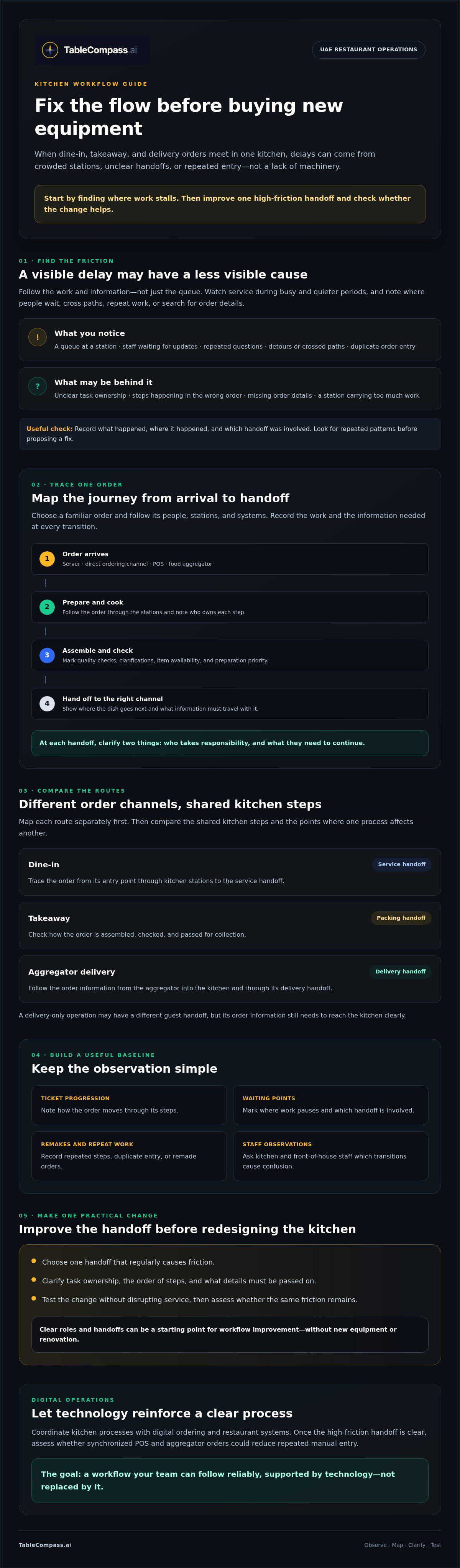
Buying new kitchen equipment may seem like the fastest way to improve service, but the delay could come from a crowded station, an unclear handoff, or the same order being entered twice. For UAE restaurants balancing dine-in and digital orders, restaurant kitchen workflow optimization starts with finding where work stalls, not adding more machinery.
Peak periods put weak points under pressure. Staff may cross paths, wait for updates, or repeat manual steps between ordering channels and the kitchen. Start by observing the flow, then agree on clear procedures for the handoffs that cause the most friction.
This guide explains how to identify bottlenecks and repeated work, improve daily handoffs, and test practical changes without disrupting service. It also covers how to coordinate kitchen processes with digital ordering and restaurant systems, including where order synchronization can reduce manual handling. The goal is a workflow your team can follow reliably, supported by technology that reinforces good processes rather than replacing them.
Key Takeaways
- Trace a representative order from arrival to handoff to see where people, ingredients, or information slow down.
- Compare dine-in, takeaway, and delivery routes to spot shared kitchen steps and avoidable crossover.
- Restaurant kitchen workflow optimization can begin with clearer roles and handoffs, not new equipment or renovation.
- Track ticket progression, waiting points, remakes, and staff observations to establish a useful baseline.
- Choose one high-friction handoff to improve, then assess whether synchronized POS and aggregator orders could reduce repeated entry.
Restaurant Kitchen Workflow Optimization Starts With Finding the Friction
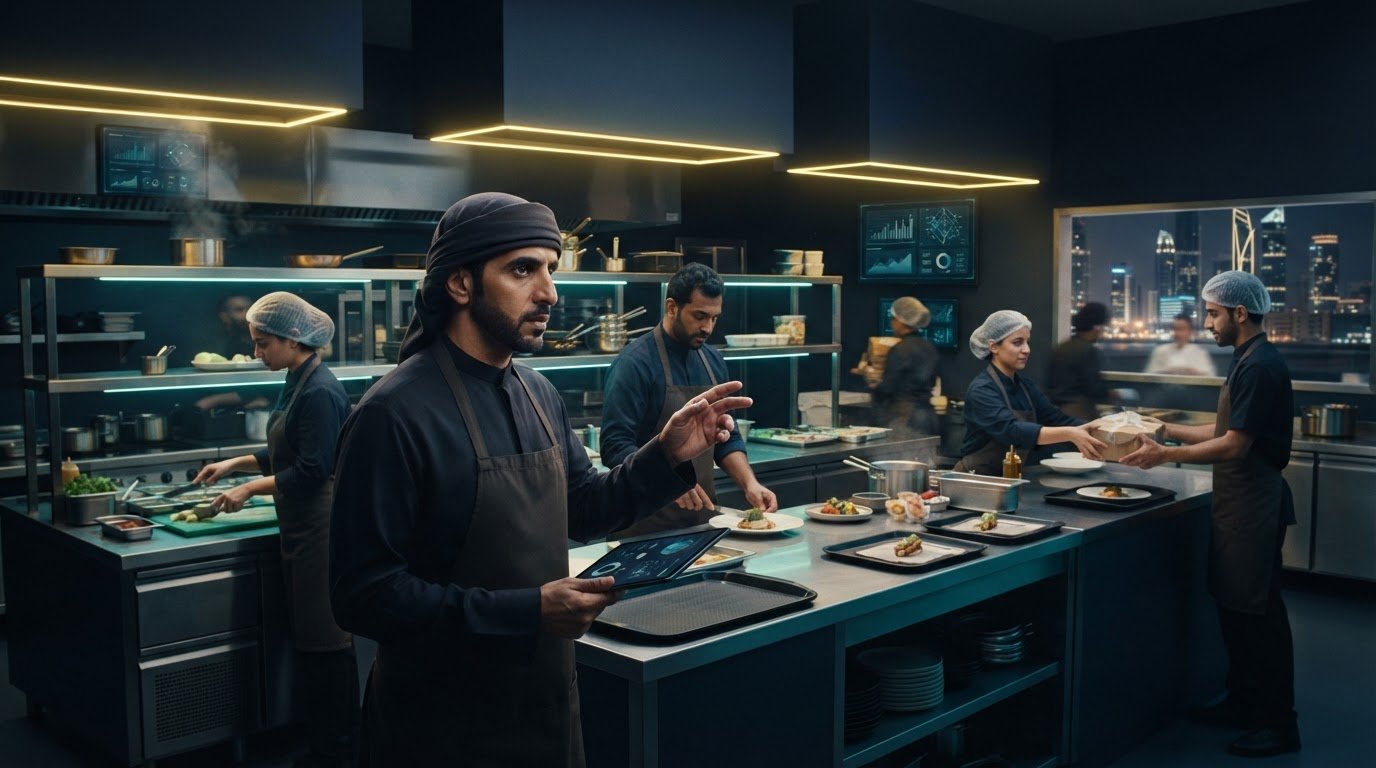
During a dinner rush in a UAE restaurant, dine-in tickets may arrive while takeaway orders are being packed and delivery orders come through food aggregators. If a cook stops to ask which order takes priority, a runner waits for a dish, or staff squeeze past each other at a busy station, the visible delay may only be one part of the problem.
Restaurant kitchen workflow optimization means improving how people, ingredients, orders, and information move through service, from receiving and storage to preparation, cooking, plating, and handoff. The first step is to find where the flow breaks before deciding what to change. A queue may point to an overloaded station, but the underlying cause could be unclear task ownership, steps happening in the wrong order, or missing order details.
What does an efficient restaurant kitchen workflow look like?
Work follows a clear, practical route: ingredients move from receiving and storage to preparation; prepared items reach the right cooking station; and completed dishes are assembled, checked, and handed to the correct service channel. The best sequence depends on the menu, service model, and available space, so there is no single layout for every UAE restaurant.
Responsibility matters at each transition. If the team knows who confirms a completed dish or checks a takeaway order before it leaves the pass, staff are less likely to stop and ask the same questions or repeat a task. Mark the points where responsibility changes, then clarify what information needs to travel with the order.
How can UAE operators spot workflow bottlenecks during service?
Observe the kitchen during busy and quieter periods, following dine-in, takeaway, and aggregator orders separately. Note where staff wait, cross paths, repeat work, or search for order details. A crowded pass may be a symptom; missing updates or uncertain ownership could be the cause.
Keep the observation simple: record what happened, where it happened, and which handoff was involved. Ask kitchen and front-of-house staff which transitions regularly cause confusion. Their answers can reveal friction that is not obvious from a manager’s viewpoint, especially when orders arrive through several channels. A delivery-only operation, sometimes called a virtual restaurant, may have a different guest handoff, but its order information still needs to reach the kitchen clearly.
Look for repeated patterns before proposing a fix. If orders often pause at the same station, check the task sequence and the information available there. This gives your team a practical starting point for restaurant kitchen workflow optimization without assuming new equipment is the answer.
Map the Kitchen Workflow From Order Arrival to Guest Handoff
Once you have noticed where service gets stuck, trace an order from its starting point to its destination. In a UAE restaurant, dine-in, takeaway, and aggregator delivery orders may share kitchen stations but enter through different channels and leave through different handoff points. Map each route separately first, then compare the steps they share to see where one process affects another.
A kitchen handoff transfers both the work and the information needed to complete it correctly. If either is unclear, the next person may have to pause, ask a question, or repeat a task.
How to map a restaurant order journey in practical steps
Choose a familiar order, such as a dish that requires preparation, cooking, and packing. Follow it in real time if practical, or ask staff to walk you through the process. Use paper or a simple digital sketch to record the people, stations, and systems the order touches.
- Start at the entry point. Note whether the order comes from a server, direct ordering channel, POS, or food aggregator. Record the details that arrive with it.
- Trace each step. Follow the order through preparation, cooking, assembly, quality checks, and service or collection. Write down who owns each step and what they need to continue.
- Sketch movement and information together. Use arrows to show where people or food travel, and add notes for tickets, updates, or verbal instructions. Mark decision points such as clarifying a modifier, checking item availability, setting preparation priority, confirming quality, and choosing the right handoff.
- Flag friction. Circle waits, duplicate entry, missing details, repeated questions, and detours. Compare dine-in, takeaway, and delivery maps, then highlight shared kitchen steps.
This makes the process visible without assuming the layout needs to change. You might find that the cooking sequence works well, but a change to an order detail does not reliably reach the person packing it.
Where digital orders can interrupt kitchen flow
Check how orders from direct channels, the POS, and aggregators reach the team. Does someone re-enter an order, relay changes verbally, or search across systems to confirm a detail? Record where information is repeated or lost. For more integration context, read this restaurant POS synchronization guide.
Order synchronization may reduce manual handling, but it does not replace clear station roles or agreed procedures. After mapping the route, operators assessing connected order processes can explore restaurant software for order synchronization as one part of the wider workflow.
Does Kitchen Workflow Optimization Require New Equipment?
No. A workflow problem does not automatically call for renovation or new equipment. If a station is delayed because staff are unsure who owns the next step, clearer responsibilities may help more than a new appliance. If staff repeatedly cross the kitchen for supplies, a replenishment routine may be the first change to test.
Separate process fixes from physical constraints. Clarifying station ownership or adjusting preparation order is usually easier to trial during normal operations. Layout or equipment changes may help address persistent congestion or a station that cannot support the menu, but they require more planning and may affect how the kitchen operates. Describe the problem clearly before assuming a purchase will solve it.
Which kitchen bottlenecks can process changes solve?
Review who is responsible at each station, how preparation tasks are sequenced, and whether labels make ingredients and prepared items easy to identify. Set a replenishment routine so staff know who checks supplies and when. Use the menu and order patterns to decide which tasks should happen before service and which should wait for an order.
Ask the team to test one revised handoff or routine. A change that looks sensible on paper may create a delay at another station, so invite staff to flag complications and adjust the process where needed.
When should an operator consider layout or equipment changes?
Consider a physical change when congestion or a capacity constraint continues after roles have been clarified and the process refined. Check whether station placement suits the menu and the mix of dine-in, takeaway, and delivery work. For example, if staff consistently cross a busy route to complete a routine task, document that pattern rather than relying on a general impression that the kitchen feels cramped.
Prioritize possible fixes by asking:
- Frequency: How often does the issue appear?
- Service impact: Does it hold up preparation, checking, or handoff?
- Staff effort: How much extra movement or repeated work does it create?
- Feasibility: Can the team test a change during normal operations?
Choose one adjustment, record the same observations you used for your baseline, and compare what happens. Change one thing at a time so you can tell whether it helped or created a new problem. Avoid using benchmarks from other markets as your measure of success; your menu, space, and service mix are specific to your operation. This keeps restaurant kitchen workflow optimization grounded in evidence from your own team. If repeated digital order handling is part of the friction, you can also explore restaurant management software as one potential part of the solution.
A Practical UAE Kitchen Workflow Optimization Checklist
Turn your observations into a small, testable change. A useful checklist does not need to cover every kitchen task. It should help the team see what is happening, focus on one recurring friction point, and decide whether an adjustment made a practical difference during normal service.
What should a kitchen workflow checklist include?
Keep the check short enough to use before or after service. Include station readiness, ingredient access, role clarity, order visibility, and the handoff to service, collection, or dispatch. If dine-in and off-premise orders use the same kitchen, note both routes so a change that helps one does not confuse the other.
- Before service: Are stations ready, and can staff find the ingredients and order details they need?
- During service: Where do tickets pause? Are roles clear when work passes between stations?
- At handoff: Are completed orders checked and directed to the right dine-in, takeaway, or delivery destination?
For a UAE restaurant where aggregator orders are part of the same kitchen flow, compare how those tickets reach staff with the route for other orders. If the issue sits in a channel handoff, this restaurant aggregator integration strategy offers further context.
How can teams measure improvement without unsupported benchmarks?
Start with a simple baseline. Track ticket progression, waiting points, remakes, and staff observations before changing the process. Assign one person to own the test and make the adjustment specific, such as clarifying who confirms an order change or who checks a packed takeaway order.
Choose a review point that fits your service pattern. A restaurant with distinct busy periods may review the change after observing comparable periods; another operation may use a different rhythm. Keep the method consistent. Do not compare an unusually quiet service with a peak period and treat the difference as proof.
At review, record measured findings separately from staff impressions. Note whether the same handoff still causes pauses, then capture what team members say felt clearer or more difficult. Based on both, keep the change, refine it, or reverse it. This makes restaurant kitchen workflow optimization a cycle of observation and adjustment, not a guess based on generic benchmarks.
If order handling is a recurring source of friction, explore restaurant software for connected operations as one possible support for clearer digital handoffs.
Connect Restaurant Kitchen Workflow to Reliable Digital Operations
Once the kitchen process is clear, check whether digital systems support it or add another manual step. Software can help move order information between channels, but it cannot replace clear station roles, preparation standards, or direct staff communication. The team still needs to know who handles each task and how changes are communicated.
Where POS and aggregator synchronization fits into kitchen flow
Trace an order from its source through your actual setup. Check how direct, POS, and aggregator orders reach the restaurant’s POS and kitchen team. Look for details staff re-enter, changes they relay manually, or inventory updates they maintain separately. Confirm what happens at each step rather than assuming every system sends information to the same place.
For UAE restaurants using food delivery aggregators, POS synchronization may reduce repeated order handling. TableCompass.ai’s OmniSync connects POS systems with delivery aggregators and automates order processing and inventory management. It supports the digital flow, while your team still needs clear procedures for preparation, order changes, and handoff. For more on system connections, see this POS middleware guide for UAE hospitality.
Menu information can also affect operations. If item availability or details need to stay consistent across digital channels, Atlas Menu Management centralizes digital menu control. This can support clearer ordering information, while staff procedures determine how the kitchen handles each ticket.
If your workflow map shows repeated entry or manual updates, that is a useful signal to assess whether connected systems could help. Start with the task, not the software.
How to evaluate a digital workflow change before adopting it
Before choosing a system, define the handoff or manual task it should address. Then confirm compatibility and setup requirements directly with the provider. Do not assume a specific POS, aggregator, or kitchen workflow is supported until those details are checked.
- Name the friction: Identify the exact information staff enter or pass along more than once.
- Confirm the fit: Ask whether the systems and order paths in your restaurant are compatible, and what setup is required.
- Keep the process clear: Decide who owns the order after it reaches the team and how changes are communicated.
Use your existing observations to judge whether a digital change addresses the identified friction. Reliable restaurant kitchen workflow optimization pairs connected order handling with sound kitchen routines. To assess options against your restaurant’s needs, explore TableCompass.ai solutions.
Build a Kitchen Flow Your Team Can Trust
Better service starts with a clear view of how orders, information, ingredients, and people move through your kitchen. Trace the order journey, identify the handoffs that create friction, and test practical process changes before assuming new equipment is the answer. Compare the results with your baseline, then keep, refine, or reverse the change based on what your team observes.
That is the foundation of restaurant kitchen workflow optimization: consistent roles and procedures, supported by digital operations that reduce unnecessary manual handling. For UAE restaurants receiving orders through food aggregators, OmniSync connects restaurant POS systems with third-party delivery aggregators and automates order processing and inventory management to reduce manual entry and errors. Technology can support the flow, while staff communication and sound kitchen routines keep it working.
Ready to explore how connected restaurant operations could support your workflow? Explore TableCompass.ai restaurant operations solutions and consider which handoff you want to improve first. Small, evidence-led steps can help your team build a more consistent service rhythm.
Frequently Asked Questions
What is restaurant kitchen workflow optimization?
Restaurant kitchen workflow optimization means improving how people, ingredients, orders, and information move through service, from receiving and preparation to cooking and guest handoff. It focuses on finding delays, unclear ownership, repeated work, or missing order details, then testing practical changes. For a UAE restaurant, map dine-in, takeaway, and aggregator orders to see where their paths overlap and what information each handoff needs.
How can I improve my restaurant kitchen workflow?
Start by tracing a representative order from its entry point to its destination. Note where staff wait, repeat tasks, search for details, or cross paths. Ask kitchen and front-of-house team members which handoffs cause confusion. Choose one recurring issue, assign someone to test a specific adjustment, and compare observations with your baseline before deciding whether to keep, refine, or reverse it.
Does optimizing a restaurant kitchen workflow require new equipment?
No. Many workflow issues can first be addressed by clarifying station responsibilities, adjusting preparation sequences, improving labels, or setting consistent replenishment routines. Consider layout or equipment changes if congestion or capacity constraints persist after process adjustments. Before seeking a redesign or equipment proposal, document the recurring issue, where it occurs, and how it affects service. This helps distinguish a physical limitation from a process problem.
How do you identify bottlenecks in a commercial kitchen?
Observe the kitchen during busy and quieter service periods, following dine-in, takeaway, and delivery orders. Record where tickets wait, staff cross paths, tasks are repeated, or order details need clarification. Ask the people working each station and the front-of-house team which transitions regularly cause confusion. Look for recurring patterns, then investigate possible causes such as unclear roles, poor sequencing, or missing information.
How can a restaurant reduce errors between delivery apps and the kitchen?
Trace how aggregator orders and changes reach the restaurant’s POS and kitchen team. Identify details staff re-enter or relay manually, then confirm what connections your existing systems support before changing the setup. TableCompass.ai’s OmniSync connects restaurant POS systems with third-party food delivery aggregators and automates order processing and inventory management to reduce manual entry and errors. Clear station roles and communication remain essential to handling orders consistently.
Which kitchen workflow metrics should a restaurant track?
Track indicators that reflect your specific friction points, such as ticket progression, waiting points, remakes, repeated clarifications, and manual order entry. Record staff observations too, but keep them separate from measured findings. For example, note how often a handoff pauses and whether staff report that order changes are unclear. Use the same measures before and after a process adjustment to make a fair comparison.
How often should a restaurant review its kitchen workflow?
Set a review rhythm that fits your restaurant’s service pattern rather than relying on a universal schedule. Revisit the workflow when you test a change, notice recurring delays, or adjust how orders move through dine-in, takeaway, or delivery service. Compare similar service periods where possible, and record what staff observe. Regular, practical reviews help teams catch emerging friction without turning workflow checks into unnecessary paperwork.