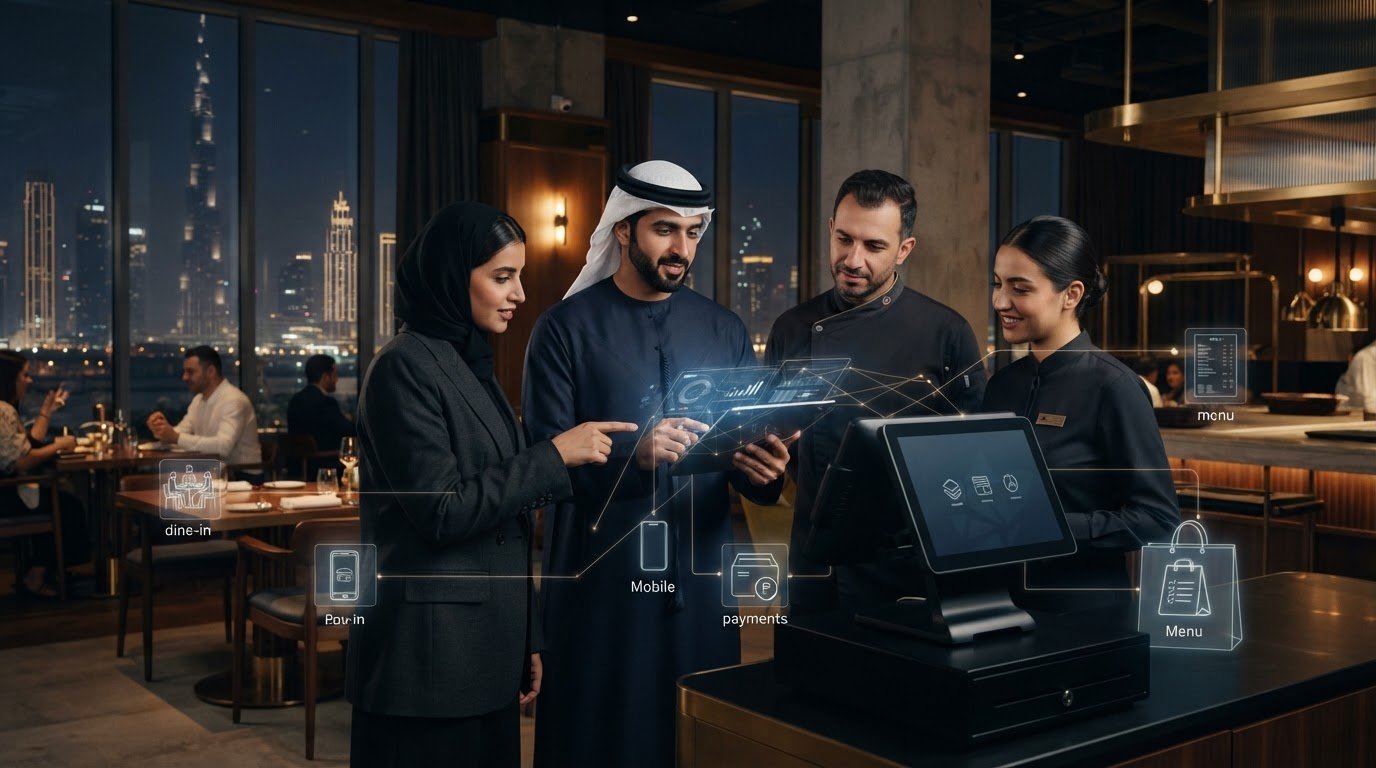
Hospitality Tech: Connected Operations for UAE Restaurants
What if the fix for disconnected restaurant systems isn’t another app, but a shared operational backbone? For UAE restaurants managing dine-in service alongside digital ordering and food-aggregator channels, separate systems can leave teams repeating work and information out of sync. The right hospitality technology solutions connect the channels you use and support the way your restaurant runs.
Choosing technology can feel complex when every tool promises a different benefit. Start with the pressure points: where staff manually update information, where guest journeys feel fragmented, and where growth could add operational strain. This guide explains the main technology layers behind modern restaurants and how to assess them against your priorities. You’ll see how menu management, ordering, payments, guest engagement and POS integrations can work together, and how to build a practical foundation for consistent service today and growth tomorrow.
Key Takeaways
- Map where restaurant teams duplicate work or rely on manual updates to identify the operational gaps worth solving first.
- Assess hospitality technology solutions by integration fit, staff workflow, guest impact, management visibility and capacity to support growth.
- Think of your technology stack as connected layers: operational systems, integration tools, digital channels and management tools, each with a distinct role.
- Document current systems and handoffs, prioritize integrations, then pilot and review changes before expanding them across the operation.
- TableCompass tools, including OmniSync and Universal Bridge, connect POS systems with food aggregators.
What hospitality technology solutions mean for UAE restaurants
For restaurant operators, hospitality technology is the connected set of digital tools that supports service, operations and guest interactions, from the first order to management oversight. The goal isn’t to collect the longest list of software. It’s to give each tool a clear role and help relevant information move between the parts of the restaurant that need it.
Restaurant technology needs differ from hotel technology. A hotel may need room-management functions for reservations, housekeeping and guest stays. A restaurant’s core workflows centre on menus, orders, kitchen coordination, payments and service, whether guests dine in, order directly or use a food aggregator. A UAE restaurant may share some technology needs with a hotel dining operation, but room management isn’t the foundation of its own stack.
Consider the full service journey. A menu change may need to appear across several digital channels; an order needs to reach the right team; and managers need a useful view of activity. The right mix depends on the restaurant. A counter-service café, a multi-channel casual dining venue and a restaurant with several branches won’t necessarily need the same systems.
Which restaurant operations can technology support?
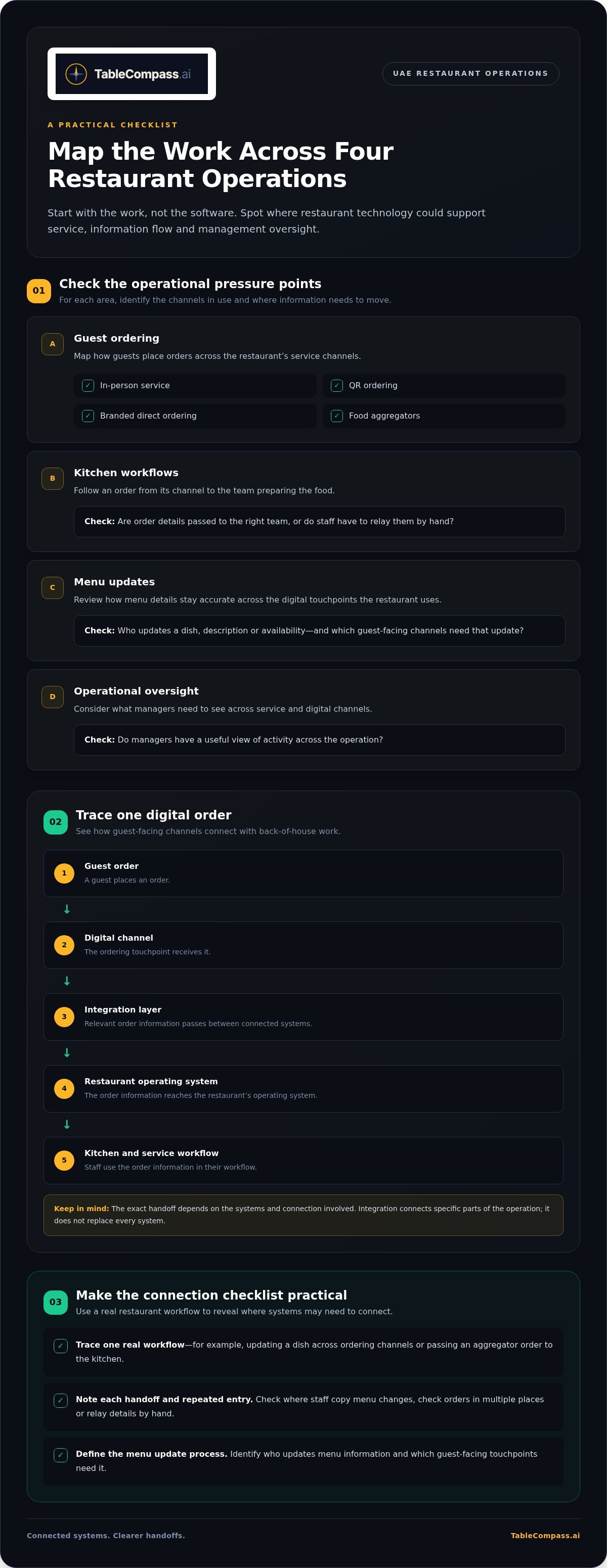
Start by mapping the work, not the software. Identify where technology could support:
- Guest ordering: In-person service, QR ordering, branded direct ordering and aggregator orders.
- Kitchen workflows: Passing order details from the ordering channel to the team preparing the food.
- Menu updates: Managing accurate menu information across the channels a restaurant uses.
- Operational oversight: Giving managers a clearer view of activity across service and digital channels.
For a UAE operator, the practical question is: which channels do guests use, and where do staff have to re-enter or relay information? The answer helps define the right technology mix.
Why connected systems matter more than a long software list
Separate tools can leave staff copying menu changes, checking orders in multiple places or relaying details by hand. The issue isn’t simply that a restaurant uses several systems. It’s whether those systems share the information needed for the next step in service.
When relevant details flow between channels, staff can coordinate digital and in-person orders with a more consistent view of what’s happening. Integration doesn’t replace every system. It connects specific parts of the operation while each tool continues to do its job.
To identify a useful connection, trace one real workflow, such as updating a dish across ordering channels or passing an aggregator order to the kitchen. Note every handoff and repeated entry. This quick exercise can reveal where connected technology would make the operation easier to manage.
How an integrated restaurant technology stack connects the operation
A restaurant technology stack has layers, each with a distinct job. Operational systems support taking and managing orders. Integration layers pass relevant information between systems. Digital channels give guests ways to browse and order, while management tools help operators oversee activity. Mapping these roles makes gaps and overlaps easier to spot.
The core systems behind restaurant technology
A point-of-sale system (POS) can serve as an important operational hub, but restaurants don’t all use the same setup or rely on a POS in the same way. Delivery channels and restaurant systems may need to exchange order details so staff can work with the information used in their existing operation. A centralized menu tool can sit alongside these systems and help manage menu information across digital touchpoints.
- Operational systems support the restaurant’s order and service workflows.
- Integration layers connect systems that need to exchange relevant information.
- Digital channels include the ordering touchpoints guests use, such as an app, QR ordering or a food aggregator.
- Management tools help operators oversee information and activity across the operation.
Middleware is the connection layer that passes relevant information between restaurant systems and digital channels. It can help teams avoid treating every connection as a separate workflow. Middleware doesn’t replace the systems it connects; it helps them exchange information where an integration is set up to do so.
How guest-facing channels connect with back-of-house workflows
Trace a digital order to see how the layers work together. A guest places an order through a channel. An integration passes relevant order information to the restaurant’s operating system, and staff use it in the kitchen and service workflow. The exact handoff depends on the systems and connection involved.
Guest order → Digital channel → Integration layer → Restaurant operating system → Kitchen and service workflow
Menu consistency is part of this flow. When a dish, description or availability changes, staff need a clear process for keeping relevant guest-facing channels aligned. Centralized menu management can bring menu control together, while each channel remains where guests view and select items. Before choosing how to connect them, define who updates menu information and which touchpoints need the update.
For UAE restaurants serving guests in person and through food aggregators, sketch one order journey and mark every system that handles it. Then identify which details need to pass between systems. This gives you a practical starting point for evaluating connected restaurant technology around your operation, rather than adding tools without a clear role.
How to compare hospitality technology solutions against restaurant needs
Compare options against the work your restaurant needs to support, not the size of a feature list. For each capability, ask whether it addresses a current operational issue, improves a guest touchpoint you actively use, or supports a realistic next step for the business. Keep essential requirements distinct from enhancements that can wait.
Match technology categories to operational priorities
Use this table to connect an operational need with a technology category and a practical evaluation question. A capability is essential when it solves a pressing workflow problem or supports a channel central to your operation. It’s optional when it serves a future possibility rather than a current priority.
| Operational need | Relevant technology category | What to evaluate |
|---|---|---|
| Orders need to pass between restaurant systems and food aggregators. | POS integration or middleware | Which order details need to move between systems, and where do staff currently re-enter information? |
| Menu details need to stay aligned across active digital channels. | Centralized menu management | Can the team manage the channels it uses through a clear, consistent process? |
| Guests need more tailored interaction across their journey. | Guest engagement tools | Does the capability support a defined guest-service or communication priority? |
| The restaurant wants guests to order directly through a branded channel. | Direct-ordering app | Is direct ordering part of the current channel strategy, and how does it fit staff workflows? |
| Guests need to browse, order or pay at the table digitally. | QR ordering and payment | Does this match the service style and guest experience the restaurant wants to offer? |
| A single-location restaurant needs to address a specific handoff. | The category tied to that workflow | Prioritize solving the current issue; avoid adding layers without a clear role. |
| A multi-location group needs a consistent approach across its sites. | Connected operational and management tools | Consider how menu oversight, channel connections and processes will work across locations. |
Assess integration fit and future flexibility
Before comparing systems, write down the tools already in use and trace a real workflow from guest action to staff handoff. Mark what information must pass between systems, which steps are manual, and who manages each update. For a UAE restaurant serving dine-in guests alongside aggregator customers, this may show that one integration matters more than another guest-facing feature.
Then assess each option against five tests: integration fit, staff workflow, guest impact, management visibility and room to scale. Ask whether the connection supports your current processes, gives staff a clear handoff and can accommodate a likely new channel or location without unnecessary complexity. Leave room to adapt without building for every possibility today.
Choose technology by checking that it fits existing systems, supports staff workflows, improves a real guest touchpoint, gives managers useful visibility and leaves practical room to grow. Use this checklist to rank hospitality technology solutions as essential, useful later or not relevant to current priorities. That makes the next step clearer and keeps the technology architecture focused on the restaurant’s operation.
A practical roadmap for adopting restaurant technology in the UAE
Adopt restaurant technology as a planned operational change, not a rush to add tools. A UAE restaurant may coordinate dine-in orders, direct digital ordering and food-aggregator channels, each with its own handoffs. Document the current setup first, then use a focused rollout to connect the workflows that matter most to your team.
Map the restaurant’s current digital workflow
Follow an order from the guest’s first interaction through kitchen preparation and service. Include the systems staff use for orders, menus and guest communication, as well as manual steps between them. Ask front-of-house and kitchen teams where information gets copied, arrives too late for the next step or depends on someone relaying it verbally.
A simple map can capture:
- Systems: The tools used to manage orders, menus and guest interactions.
- Channels: In-person service, direct ordering and food aggregators used by the restaurant.
- Handoffs: Where information moves between staff, systems and channels.
- Friction: Repeated entry, unclear ownership or updates that require manual follow-up.
Keep the map specific to your operation. A single-location restaurant and a group with multiple sites may have different processes, channel mixes and needs for shared oversight.
Roll out changes in manageable stages
Use this sequence to turn the workflow map into an adoption plan:
- Map workflows. Record how orders, menu updates and guest communication move through the restaurant today. Include the people responsible for each step.
- Identify friction. Choose the handoff that creates the clearest operational difficulty. Be precise: for example, note whether staff repeat order details or update the same menu information in separate places.
- Prioritize integrations. Decide which systems need to exchange information to address the issue. Separate this essential connection from features that may be useful later, keeping the first stage focused.
- Pilot the change. Introduce the new workflow in a defined part of the operation. Show staff what changes, who handles each step and where to raise questions. Gather feedback from front-of-house and kitchen teams while the process is in use.
- Review and refine. Compare the new workflow with your original map. Review relevant operational indicators, such as repeated entries, order handoffs or menu-update steps, and note what needs attention before expanding the approach.
Keep onboarding practical. Use a sample order or menu update to walk staff through the revised process, and give team leads a clear role in sharing feedback. This helps the technology fit the way the restaurant operates instead of adding unnecessary complexity. As the operation changes, revisit the map before adding channels or extending the setup to more locations.
For a connected foundation tailored to your restaurant’s workflows, explore TableCompass.ai restaurant technology.
How TableCompass.ai connects hospitality technology for restaurants
Once you’ve identified your operational priorities, match each need with the right technology layer. TableCompass.ai brings together restaurant systems, digital channels and guest-facing tools for UAE operators. You can start with the workflow that needs attention, then choose the tools that fit around it rather than adopting every tool at once.
Connect restaurant systems and digital channels
For restaurants managing food-aggregator orders alongside their own operations, the connection between ordering channels and restaurant systems is a practical place to begin. OmniSync synchronizes restaurant POS systems with third-party food delivery aggregators. Universal Bridge provides middleware for POS systems and food aggregators. Both support connections between restaurant operations and external ordering channels.
When mapping your setup, list the channels your restaurant uses and the information staff need to receive through the existing workflow. OmniSync provides synchronization, while Universal Bridge provides middleware for POS and aggregator connections. These tools connect systems; they don’t replace the restaurant’s POS or provide delivery logistics.
Coordinate menus, guest engagement, and direct ordering
Ordering connections are one part of the stack. Digital menus, guest engagement and direct ordering serve different needs, so assess them in relation to your service model rather than as a bundled checklist.
- Atlas Menu Management centralizes menu control across digital channels and supports real-time menu updates. It’s useful when the restaurant needs a central way to manage menu information across the channels it uses.
- GuestConnect AI and Satellite AI support automated customer interactions and guest communication as part of the restaurant’s digital workflow.
- White-Label Mobile App supports branded direct ordering, giving a restaurant a digital channel under its own brand.
- QR Table Ordering & Pay supports QR-based ordering and payment, giving guests a digital option for table service.
These tools address different parts of the guest and staff journey. A restaurant looking to manage menu information across digital channels has a different starting point from one prioritizing branded direct ordering or QR-based table service. Define the operational need first, then choose the relevant layer. This keeps hospitality technology solutions tied to actual workflows and gives each tool a clear role in the restaurant’s operation.
For a closer look at how these connected tools fit together, explore the TableCompass.ai restaurant technology suite.
Build a technology foundation that grows with your restaurant
Your next step doesn’t need to be a full systems overhaul. Set a clear direction for how technology should support service as your restaurant evolves. As channels, menus and team responsibilities change, review whether every tool still has a defined role and whether staff can follow the connected workflow with confidence.
Regular reviews keep hospitality technology solutions grounded in the operation instead of turning growth into a reason to add disconnected tools. Keep the human experience at the centre: technology should support the people preparing orders, serving guests and making decisions, while giving the restaurant a structure it can build on.
Ready to shape a connected foundation around your restaurant’s priorities? Explore connected restaurant technology solutions with TableCompass.ai and take the next step toward an operation designed to move forward with clarity.
Frequently Asked Questions
What are hospitality technology solutions for restaurants?
For restaurants, hospitality technology solutions are digital tools that support tasks such as managing orders, maintaining menu information and serving guests across in-person and online channels. For example, a restaurant might connect its POS with food-aggregator orders, manage digital menus centrally or offer guests QR-based table ordering. The right combination depends on the restaurant’s service style and where staff need clearer, more consistent workflows.
Which hospitality technology should a restaurant implement first?
Start with the technology that addresses the most disruptive operational friction, not the most impressive feature list. If staff regularly re-enter aggregator orders, review the order handoff and prioritize a POS connection. If menu details are difficult to keep aligned across active channels, menu management may be the better starting point. Ask the team to identify the recurring issue, then choose one capability that directly addresses it.
Can hospitality technology solutions support a small independent restaurant?
Yes. A small independent restaurant can choose tools around its specific workflows without adopting a large, complex stack. Begin with the channels and tasks already in use, such as in-person orders, a digital menu or aggregator orders. Add capabilities that address a real need, giving each tool a clear role instead of building a setup intended for a larger group.
How can UAE restaurants connect food delivery aggregators with their POS?
Restaurants can use middleware to pass relevant order information between food-aggregator channels and their POS system. Start by mapping how an order currently moves, including manual entry or staff handoffs. Then define what information needs to reach the restaurant’s workflow. TableCompass provides OmniSync and Universal Bridge for POS and food-aggregator connections, helping UAE operators connect these parts of their digital setup.
Is hospitality technology only for hotels?
No. Hospitality technology also supports restaurant-specific workflows, including ordering, menu management, guest engagement and digital payment. Hotels may use systems for room reservations, housekeeping and guest stays, while a standalone restaurant’s priorities centre on food service and guest ordering channels. A restaurant inside a hotel may interact with hotel systems, but its dining operation still has distinct needs that restaurant-focused tools can support.
How should restaurant operators measure whether new technology is helping?
Compare the workflow before and after rollout using indicators your team can observe. Track how often staff re-enter order details, how menu changes are handled across channels, and whether order handoffs reach the right people clearly. Gather feedback from front-of-house and kitchen staff as well. Review these observations over a consistent period and use them to decide whether to refine the process, expand it or address another friction point.
Can restaurants use technology to manage direct ordering and QR table payments?
Yes. Restaurants can use a white-label mobile app to support branded direct ordering, while QR table ordering and payment gives guests a digital option at the table. These tools serve different ordering contexts, so choose based on how guests interact with your restaurant and what fits the service flow. Before introducing either, decide how staff will handle incoming orders and keep guest-facing menu information current.