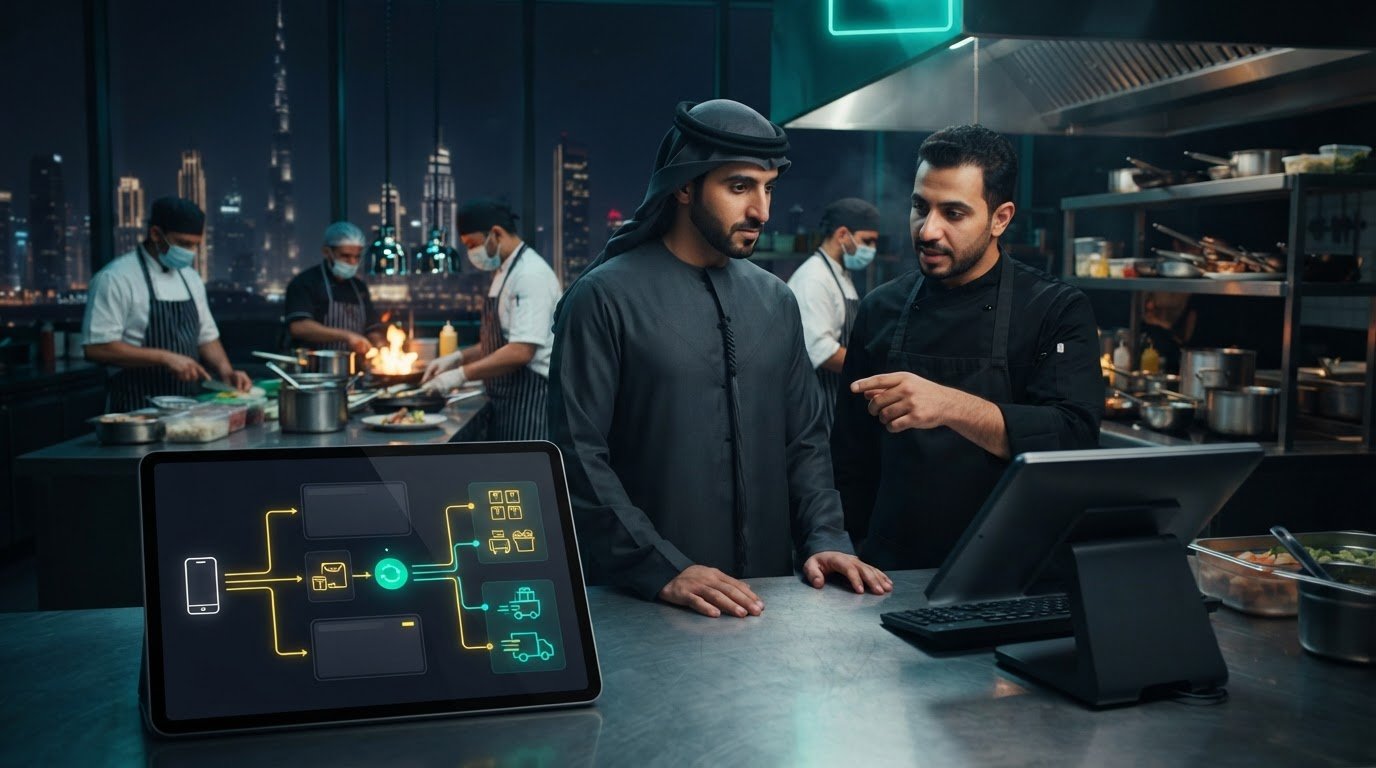
Delivery Aggregator POS Integration Software: A UAE Restaurant Guide
A long list of connected delivery platforms doesn’t guarantee a reliable restaurant workflow. In a UAE kitchen, staff may still switch between aggregator tablets and re-enter orders into the POS, leaving room for delays, mistakes and confusion during a rush. The real test of delivery aggregator POS integration software is whether each order moves accurately from the platform into the systems your team relies on.
It’s understandable to judge integration by the number of platforms it connects. But connector counts alone don’t show whether order details, menu changes and inventory information stay in sync, or whether the workflow works across locations. To assess fit, trace a real order from the customer’s app to the team preparing it, then note where staff need to intervene.
This guide explains how aggregator-to-POS integration works and what to assess before choosing software for your restaurant. You’ll learn how to trace an order from receipt to kitchen, spot gaps in synchronization, and build practical checks that help protect order accuracy. Whether you run one venue or a group, the goal is the same: replace fragmented handoffs with a workflow your staff can follow confidently.
Key Takeaways
- Trace an order from customer placement through aggregator, middleware and POS to see where information needs to move.
- Assess delivery aggregator POS integration software by order transfer, menu and availability flow, exception visibility and branch workflows, not connector counts alone.
- Document your existing systems, locations, menu ownership and staff responsibilities before changing how orders reach the kitchen.
- Map peak-service scenarios in advance so your team can identify handoff gaps and establish a workflow that fits your UAE restaurant.
- See how OmniSync connects restaurant POS systems with third-party food aggregators and automates order processing and inventory management.
Why delivery aggregator POS integration software matters in UAE restaurants
Delivery aggregator POS integration software is middleware that transfers delivery order information from connected platforms into a restaurant’s point-of-sale (POS) workflow. It links the systems that receive orders with the systems staff use to prepare and fulfill them, reducing the need to re-enter order details by hand.
A POS is more than a payment terminal: it supports the recording and handling of sales. For background on the system itself, see this overview of the Point of Sale (POS) system. Integration focuses on how order information moves between software. It doesn’t supply hardware or deliver food.
Without that connection, a restaurant team may need to monitor separate ordering interfaces while also using the POS and kitchen workflow. During a busy service, a staff member might read an order from a tablet, enter it into the POS, and confirm that the kitchen received the right details. Each handoff adds work when the team is already balancing dine-in guests, takeaway and delivery.
What happens when delivery orders sit outside the POS?
Separate interfaces can split attention. An order update may appear on one tablet while the team is focused on another screen. Staff may also enter an order twice if it’s unclear whether the first entry went through. Manual transcription can introduce mistakes in item choices, quantities or special instructions, leaving front-of-house and kitchen staff to resolve the mismatch.
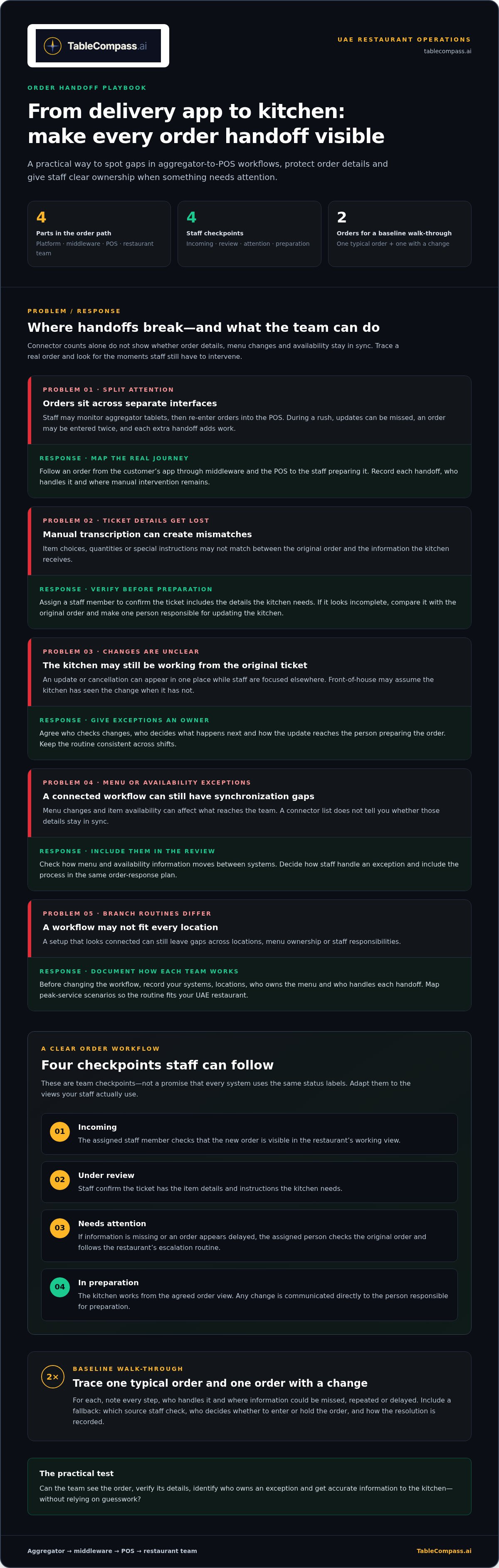
Map the current handoffs before changing anything. Note who checks each ordering interface, who enters the order, and how the kitchen learns about changes or cancellations. This walk-through helps reveal where information could be missed, repeated or delayed. For a useful baseline, follow one typical order and one order with a change, then record each step and who handles it.
What does aggregator-to-POS integration connect?
The order path has four parts: the delivery platform receives the customer’s order, middleware transfers its information, the restaurant POS records it in the operational workflow, and the restaurant team prepares and fulfills it. Middleware is the software bridge between systems. It isn’t a POS device and it doesn’t provide delivery logistics.
For example, a UAE restaurant receiving an order through a delivery app can use an integration workflow to pass that order into its POS rather than requiring staff to key it in again. The handoff depends on how the connected systems are configured, so focus on whether order details reach the place where staff actually act on them.
Fewer manual handoffs can give the team a clearer shared picture: front-of-house can follow the order in the POS workflow, while kitchen staff work from the information passed to their process. To make that coordination practical, agree on who handles exceptions and how staff flag an order that needs attention. Integration supports the flow; clear responsibilities complete it.
How delivery aggregator POS integration software moves an order
After an order enters your restaurant’s workflow, staff need a shared way to tell whether it is ready for action, being prepared or waiting on a decision. Clear status ownership matters as much as the initial handoff. Otherwise, front-of-house may assume the kitchen has seen an update while the kitchen is still working from the original ticket.
Set a simple operating rule for each point where an order may need attention. Decide who checks it, what they verify and who receives the information next. Keep the routine consistent across shifts so a new team member can follow it without relying on informal messages or guesswork.
From aggregator order to POS ticket
Rather than measuring the workflow by how many systems appear connected, review what staff can observe and do when an order changes state. Walk through a typical service and agree on the team’s response at each checkpoint:
- Incoming: The assigned staff member checks that a new order is visible in the restaurant’s working view.
- Under review: Staff confirm the ticket includes the item details and instructions the kitchen needs.
- Needs attention: If information is missing or an order appears delayed, the assigned person checks the original order and follows the restaurant’s escalation routine.
- In preparation: The kitchen works from the agreed order view, while any change is communicated directly to the person responsible for preparation.
These are staff checkpoints, not a promise that every system displays the same status labels. Adapt the procedure to the views your team actually uses. For example, if an order looks incomplete, pause duplicate entry, compare the available details with the original, and make one person responsible for updating the kitchen.
Define a fallback for an order that isn’t visible where expected. Staff should know which source to review, who decides whether to enter or hold the order, and how to record the resolution. A short written routine helps the team respond consistently during a busy UAE service, even when the manager is handling another issue.
Where menu and inventory information fit
Menu and availability changes can create order exceptions, so include them in the same response plan. Decide how staff should handle a ticket for an item the kitchen can’t prepare, who communicates that decision, and how the team avoids conflicting instructions between service and kitchen staff. A practical routine names the decision-maker and the person responsible for updating the team.
For broader guidance on coordinating menu information across channels, the article Centralized Menu Management: 2026 UAE Restaurant Guide explores that topic. For this workflow, use a simple test: can staff identify a menu-related issue, locate the responsible person, and keep the order’s status clear until the team resolves it?
How to compare delivery aggregator POS integration software
Choose by workflow fit, not by the number of logos in an integration directory. A platform listed as connected doesn’t tell you whether order details reach the right POS workflow, staff can spot exceptions, or each branch can operate as intended. Use the comparison below to turn your restaurant’s day-to-day needs into practical criteria.
Selection principle: prioritize fit and dependable data flow over connector count. Start with the POS and delivery platforms your restaurant already uses, then trace what information needs to move and who acts on it. A connection is useful when it supports the real order journey from receipt through preparation.
- Order transfer: Can staff follow an order from the delivery platform into the restaurant workflow? Check whether key details, such as items and special instructions, arrive in a form the team can use.
- Menu and availability flow: Identify how menu items and availability information are managed across channels. Note where an unavailable item or a menu change could create confusion.
- Exception visibility: Decide how staff will notice an order that is rejected, delayed, incomplete or different from what they expect. Define who investigates it and how the kitchen is kept informed.
- Branch workflows: Consider whether each location follows the same core process and where branches need different responsibilities, menus or order-handling steps.
A directory entry is a starting point, not proof that a connection fits your operation. Compare the handoffs against your existing setup. Record the POS and aggregator systems in use, the locations involved and the route an order should take. This gives you a focused basis for assessing compatibility without assuming every listed connection supports every workflow.
Assess order accuracy, visibility, and exception handling
Use realistic scenarios rather than relying on broad reliability claims. Trace an order with a special instruction, then consider what staff see if it doesn’t appear in the expected workflow. Map how they identify the issue, who owns the response and how the kitchen receives the correct information. The goal is a visible, repeatable process, not an unsupported score.
Check menu, inventory, and multi-branch workflow needs
List the menu items and availability details that matter across your UAE locations. Decide which information should stay consistent and which decisions belong to each branch during service. Order integration and menu management are related, but they’re not the same task. For a focused comparison of aggregator synchronization approaches, use the principles in Food Aggregator Sync Software: A Comparative Guide alongside your branch requirements.
Before selecting a system, walk through the criteria with the people who receive, prepare and manage delivery orders. Ask them to describe a normal order and an exception using the same process. Their answers will show whether the proposed workflow is understandable on the floor, not merely present in a software directory.
Prepare your UAE restaurant for a smoother POS integration
A successful integration starts with a clear picture of how your restaurant already handles delivery orders. Before changing systems or staff routines, document the POS in use, delivery channels, menu ownership, locations and the people responsible for each task. This gives your team a practical baseline and helps prevent a new workflow from carrying old uncertainties into service.
Map the journey at each branch. One location may have a manager checking aggregator orders, while another relies on front-of-house staff to monitor them. Record those differences before deciding which steps should be consistent across the group and which need to stay location-specific.
Map systems and responsibilities before rollout
Make the handoffs visible. Note who manages POS settings, who maintains delivery channels and menu details, who monitors incoming orders, and who handles exceptions. This map can reveal duplicate entry, unclear ownership and tasks that depend on one person remembering an informal process.
- Systems: Record the POS and ordering interfaces each location uses, plus where staff currently enter or check order details.
- Menus: Identify who controls item information and availability, and how changes are communicated to each branch.
- Responsibilities: Assign ownership for monitoring orders, resolving mismatches and alerting the kitchen when details change.
- Branch differences: Capture variations in staffing and service routines before defining a shared group process.
Use the map to agree on what “complete” means at each handoff. For example, an order isn’t ready for kitchen preparation until the responsible team member can see its items and relevant instructions in the agreed workflow.
Give UAE restaurant teams a usable operating routine
Test the planned routine against real service scenarios before making it the default. Walk through a normal delivery order, an item that becomes unavailable, and an order that appears incomplete or needs attention. Include the people who receive and prepare orders, so the procedure works on the floor as well as in the central operations plan.
Keep the instructions short and role-based. Front-of-house should know where to monitor incoming orders and whom to alert; kitchen staff should know which order view to use and how changes are communicated; central operations should understand which issues require escalation across branches. Agree on a fallback for orders that don’t appear as expected, and make sure staff know how to avoid duplicate entry while resolving them.
Introduce the new process as a measured operational transition: explain what is changing, let the relevant teams practise the handoffs, and collect staff feedback before refining the routine. For a platform-specific example of planning the workflow, the article How to Sync Talabat with Your Restaurant POS System explores the steps involved. Use the same preparation discipline for your own setup, while accounting for differences in systems and responsibilities.
TableCompass.ai provides middleware for connecting restaurant POS systems with food aggregators. The platform’s OmniSync automates order processing and inventory management. Learn more about the workflow in TableCompass.ai’s POS and aggregator integration overview.
Connect aggregator and POS workflows with TableCompass.ai OmniSync
Once you’ve mapped your order flow and decided what an integration needs to do, assess middleware against those practical requirements. TableCompass.ai’s OmniSync connects restaurant POS systems with third-party food aggregators. It links existing software workflows; it doesn’t replace the restaurant’s POS or provide delivery logistics.
That distinction matters for UAE restaurants choosing delivery aggregator POS integration software. The value is in how order processing and inventory management fit into your operation, not simply in the number of platforms shown in a directory. Start with the workflow you documented: where an order arrives, where staff need to see it, and how your team handles availability and exceptions.
What OmniSync brings to aggregator and POS operations
OmniSync connects restaurant POS systems with third-party food aggregators and automates order processing and inventory management. Automating order processing can reduce the need for manual data entry and help reduce order-processing errors. These capabilities support a more connected flow between ordering channels and restaurant operations, without promising that every handoff will be error-free.
Use your evaluation criteria to consider how this role fits your restaurant. Identify the steps where staff currently transfer order details manually, then consider how automation could change those handoffs. Separately, review how inventory management fits the information your team uses to manage operations. Keep the questions grounded in your setup rather than assuming a particular platform, POS configuration or menu process.
For a practical assessment, write down the expected outcome for each handoff: the order information staff need in the POS workflow, the person responsible for an exception, and how inventory management supports the restaurant’s process. This makes it easier to compare the intended workflow with your current routine and explain the change to front-of-house, kitchen and central operations teams.
Move from fragmented order handling to a connected workflow
Middleware provides a bridge between software systems. When the restaurant’s workflow is mapped clearly, that bridge can reduce manual handoffs and give teams a more unified way to manage connected operations. Restaurants with multiple locations can use a shared process as a reference point while documenting the branch-level responsibilities that differ.
Keep the rollout practical: define which workflow you want to improve, identify the people who will use it, and review whether the resulting handoffs match the needs you recorded. For broader context on middleware in hospitality operations, the article POS Middleware for UAE Hospitality: 2026 Integration Guide explores how middleware supports connections between restaurant systems.
TableCompass.ai’s OmniSync provides middleware for restaurant POS and aggregator workflows, with automated order processing and inventory management. Read about OmniSync middleware for restaurant POS integration.
Build a stronger digital foundation for your next stage
Make integration part of how your restaurant grows, not a one-time technology decision. As your UAE operation adds locations, changes menu ownership or adjusts team roles, revisit the workflow so it still reflects how service runs. A short review after operational changes can help keep responsibilities clear and prevent familiar workarounds from creeping back in.
Use your selection criteria as a reference point for future decisions, too. When considering delivery aggregator POS integration software, measure its value by how well it supports the way your restaurant operates, rather than by a long list of connections. Keep the focus on a system your staff can use and your business can build on.
TableCompass OmniSync gives restaurant operators middleware for connecting aggregator and POS workflows. As your team reviews its process, include order handling, inventory management and the responsibilities around exceptions.
With the right workflow at its core, your team can spend less energy managing disconnected systems and more attention on the guest experience. A clearer operational foundation makes room to grow with confidence.
Frequently Asked Questions
Is delivery aggregator POS integration software the same as a restaurant POS?
No. They serve different roles: the POS remains the restaurant’s operational system, while integration software handles the connection between it and delivery channels. Adding an integration doesn’t itself replace POS hardware. For example, a restaurant can continue using its current POS for its established sales workflow while assessing whether middleware can reduce the extra steps staff perform for delivery orders. The decision is about the software workflow, not a hardware replacement.
Can a restaurant keep its existing POS when adding aggregator integration software?
Often, yes. Middleware is designed to connect software workflows, so POS replacement doesn’t have to be the default next step. Before planning, note any POS-specific routines staff depend on, such as how they distinguish delivery tickets from dine-in orders or identify order channels during reconciliation. These details help shape an integration workflow around existing operations rather than forcing staff to adopt an unfamiliar process.
What information should a restaurant map before connecting delivery aggregators to its POS?
Beyond listing systems and roles, capture a few representative order examples: a standard order, one with a special instruction, and one involving a menu change. Record which details staff need to see and how they currently identify the order channel. Also note who approves changes to item names or availability. These examples give the restaurant a practical reference for discussing setup and checking that everyday cases are handled clearly.
How can restaurant teams identify an aggregator order that needs attention?
Agree on observable signs that call for a review, such as an order with missing item details, an unexpected quantity, or a ticket staff can’t match to the original customer order. Keep a brief record of the issue and its resolution, including whether it came from a data mismatch or a staff handoff. Reviewing these notes can help managers spot recurring process gaps and improve training without assuming a particular alert feature exists.
Does POS integration software replace food delivery platforms?
No. Customers still use the delivery platform to browse and place orders, and the restaurant continues to manage preparation and fulfillment. Integration software supports the information handoff between the platform and restaurant systems; it doesn’t act as the ordering marketplace or transport food. Keeping these responsibilities distinct helps UAE restaurant teams direct customer-order questions to the right channel and keep kitchen operations focused on preparing accepted orders.
Can aggregator POS integration support restaurant groups with multiple UAE locations?
It can support a group’s planning, but the operating model should reflect how locations differ. Create a group-level template for documenting order workflows, then have each venue record exceptions such as a distinct menu process or a different person responsible for delivery orders. Compare the completed templates before rollout. This gives central operations a clearer view of where one standard procedure can work and where local instructions are needed.
What is the difference between POS middleware and an integration directory?
Middleware performs the software connection; a directory is a reference that lists potential connections. To make a directory useful, turn its listings into a test plan: choose a representative order and write down what staff need to see at each stage. Then use that scenario to assess the proposed workflow. This moves the decision from “is it listed?” to “does the connection support the restaurant’s actual operating needs?”
To connect your restaurant’s POS and aggregator workflows, explore TableCompass OmniSync.